What if you can create a video from a simple idea without going to a timeline or getting familiar with complex editing software? Invideo AI is promising just that. For content creators, marketers, and businesses looking for quick content production, it can convert text prompts to ready-to-publish videos in the blink of an eye.
However, there is a limitation: Invideo AI is not ideal for potentially more demanding use cases such as high-volume production with consistent or high-quality expectations for visuals that are brand-specific. We’ll explore the operation of Invideo AI, its primary functions, its drawbacks, its pricing, the kind of users it is designed for, and compare it to other content creators to determine if it’s worth using and investing in in 2026.
Invideo AI
Invideo AI is an online video generation platform that enables users to create videos based on simple text prompts. Invideo (invideo.io) is the company that developed it, and states that it has over 25 million users from 190+ countries.
The idea/Topic is described, and then the desired Length/Platform/Tone is determined, and finally a script is created, pictures are selected, voiceover is automatically added, subtitles are generated, music is selected, and transitions are added automatically. It is useful for small businesses, creators, marketers, and educators to create video explainer videos, social video clips, promos, and YouTube videos without the requirement to possess video editing skills.
It’s an “agent” approach where your prompt is passed to 200+ AI models (including Sora 2, Google Veo 3.1, Kling, and more) through a single workflow to script, storyboard, select/generate video footage, and edit the content.
Invideo AI Working
In a nutshell, the four steps of Invideo AI are:
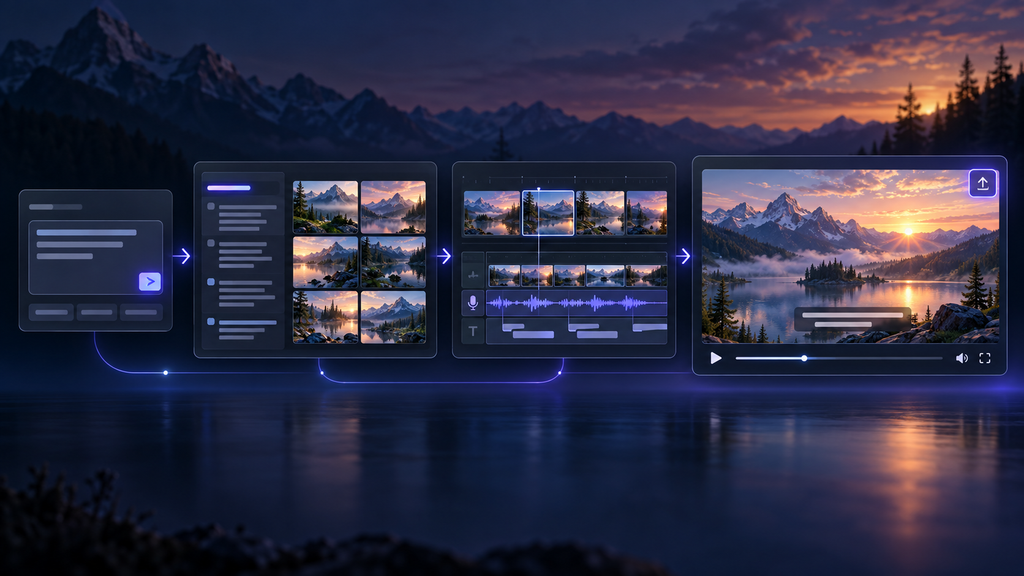
- Prompt: Type in a text description of the video you want (e.g., make a 60-second Instagram reel about time management tips with a nice female voiceover).
- Generate: Make a script, choose or write pictures, choose/add voiceover (with language/accent), create scenes, music, and transitions.
- Edit by command: Edit the draft using natural language commands that you can type, such as ‘make short intro’ or ‘change voice British male’ or ‘swap scene 2 footage ‘.
- Publish: Export the final video (up to 4K on higher plans) and publish it on the platform of your choice.
As you can see, it’s a collection of several AI functions, such as: Generative Text (for scripts), Text-to-Speech (for voiceovers), Multimodal Video Models (for AI Clips), and a huge stock media library (16M+ assets) for B‑roll and images. These terms are not essential for use of the tool, but are what allow for the “type a prompt, get a video” experience.
Key Features of Invideo AI
- Edit-by-Command (Semantic Editing)
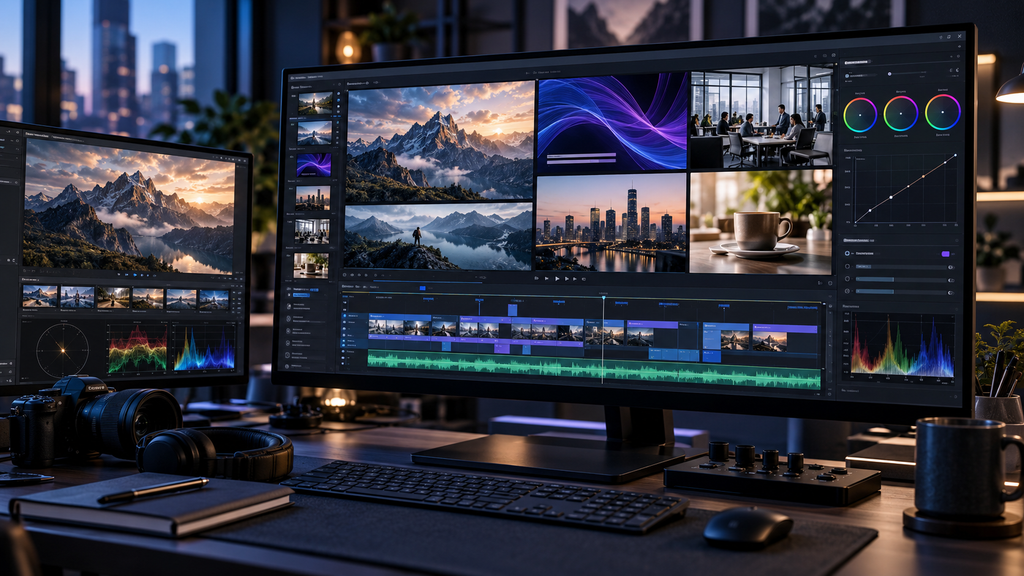
- Typing instructions on a timeline to change pacing, voice, accent, scenes, or styles rather than trimming clips on the timeline. This significantly reduces the learning curve for non-editors and offers a speedy alternative for the power user in exchange for some imprecision.
- AI Voices & Voice Cloning
- Invideo also provides human-like AI voices in 50+ languages and accents, and voice cloning is also available on paid subscriptions for a consistent voice in videos, without having to record them each time. This can be of great use if you have channels without faces or content in multiple languages.
- Illustrations and graphics: Stock Media, AI Visuals
- Invideo adds 16M+ stock photos and videos (including iStock) and can even create AI images and videos with models such as Sora 2, Veo 3.1, and Kling. The quality of their stock library is a great asset to any generic business, lifestyle, or education subject, but may not be quite as useful when it comes to niche industries.
- Multi-Language Support
- Auto-translation for voiceover and subtitles for 50+ languages enables you to make one video and translate it into multiple languages. Most of the time, the translation is reasonably accurate for primary languages, but may be less accurate for languages with complex grammar.
- Post-Production VFX Tools
- Additional tools such as Relight (scene lighting adjustments), Prop Swap (replace objects), and AI Colorist (color grading) bring some shine to the platform. They can assist creators but can’t take the place of professional VFX software.
Quality and Performance
Practically speaking, the size of Invideo AI is optimised for fast video production, driven by user prompts, and featuring a stock/template quality.
- Results for content whose quality standards include “stock-style” content are often watchable and on-brand for social explainers, promos, and educational shorts.
- Simple prompts are reliable, while detailed, specific ones for particular brands may not match footage or can miss nuances, necessitating multiple edit cycles, or may lead to no footage.
- Speed: First drafts are generally available within minutes of the video’s completion, while full rendering will take 10-30 minutes depending on video length, length of the server load, and the number of videos rendered.
- Easy to use: User-friendly interface and edit-by-command eliminate the need to use the timeline tools.
- Reliability: Workflow is stable; it may have a lot of credits being expended per minute of iteration, so subsequent costs of producing videos will be lower.
Benefits and Drawbacks
| Aspect | Benefits | Drawbacks |
| Workflow & Speed | Fast prompt-to-draft workflow that saves hours per video | Credit/minute system can make iteration expensive at volume |
| Audio & Localization | Multi-language voiceovers, subtitles, and voice cloning | — |
| Editing Experience | Edit-by-command makes refinement accessible to non-editors | Limited frame-level control and shallow manual timeline editing |
Invideo AI is suitable for
Invideo AI can be used for:
- Solo content creators and YouTubers who regularly create explainers, listicles, or content without a face.
- If you are looking to get volume on social media, whether on Reels, on Shorts, or on TikTok-style clips, this is for you.
- Teachers and course developers who are using voiceover and subtitles to create short videos.
- If you are a marketer or small business creating promo videos, product explainers, and ads without the help of a video editor, then you will find this essential.
- Multilingual teams translating content in 50+ languages. Multilingual teams translating content into 50+ languages.
Invideo AI is not suitable for
- When you are in one or more of the following situations, try to find alternatives:
- Need brand-specific graphics or product videos (Invideo uses only stock/templates).
- Requires frame editing, complex motion graphics, or advanced color grading
- Share. Need to schedule/post and automate a performance.
- Wants to have consistent cost per video and wants a lot of videos, but wants “burstiness.
- Looking for a fully functional free plan with no watermark, no limit (Invideo’s free plan has a limit and watermark).
Invideo AI vs Alternatives
| Aspect | Invideo AI | CapCut | Canva Video |
| Best for | End-to-end text-to-video with stock/AI clips | Manual editing with AI assists (mobile-first) | Brand-integrated designs and simple AI video |
| Ease of use | Very easy for prompt-to-draft; edit-by-command | Easy for edits; more hands-on | Easy for branded templates |
| Price (approx.) | Free (watermarked); Plus ~17–25/mo; Max ~60–85/mo | Free usable tier; Pro ~$8/mo | Free tier; Pro ~$13/mo |
| Strengths | Speed, stock depth, multi-language, voice cloning | Free, strong mobile editing, trend templates | Brand consistency, design ecosystem |
| Limitations | Credit costs, template look, no posting automation | Less automation for full prompt-to-video | Less pure text-to-video automation |
Is Invideo AI Worth It?
Yes—if you are looking to create a consistent series of social explainers, promos, or educational clips and are okay with the stock/template look. The free plan will suffice for testing quality, but if you want to use the watermark-free photos for commercial purposes, you will need a minimum of the Plus plan.
For very high volumes, predictable costs, or to achieve highly custom visuals, it may not be worth it. Otherwise, products designed for creating visuals or for manual editing might produce better value.
Conclusion
Invideo AI isn’t designed to produce a one-of-a-kind video for you. With some of the great features such as voice cloning, text-to-video, and multilingual support, it’s possible to turn a concept into a business-class video. For content makers, marketers, and businesses that need to generate a ton of content fast, it can be helpful to get the job done quickly.
But heavy use of the service can lead to costly credit-based costs, and the template-based appearance might not provide brands with the originality they desire. In conclusion, if efficient and rapid video creation is your top priority, give Invideo AI a shot. If you want to create highly customisable visuals, have a lot of editing control, or if you want predictable costs on a large scale, another AI video platform might be a better fit.
FAQs
1. Is Invideo AI free to use?
There’s a free version that has AI minutes and watermarked exports at 720p, which should be enough for testing purposes but not for commercial production.
2. Can Invideo AI indeed make YouTube videos?
Yes. It can create entire YouTube videos from keywords, script, video, voiceover, subtitles, and music; paid plans won’t watermark and won’t limit commercial use.
3. What is the maximum resolution of the video produced by Invideo AI?
Yes, it has 50+ languages for voiceover and subtitles with auto-translation – it has the best quality for widely spoken languages.
4. Is it possible to remove the watermark for the video in Invideo?
No, not on the free plan! Exports that are watermark-free are only possible when you have a paid plan (Plus or above).