You are given 100 pages of notes to review, but it’s somehow difficult to determine where to begin. NotebookLM can be very helpful in this situation. Rather than providing you with generic AI-generated answers to a variety of questions, it allows you to upload your own PDFs, lecture notes, research papers, and study resources, and provides assistance to understand, summarize, quiz, and edit them.
But what exactly does it provide to the student as a study aid? — or is it just another AI application that sounds better than it actually is?
Let’s dive into some of the study capabilities, accuracy, usability, cost, and drawbacks of NotebookLM, as well as its value as a student tool in 2026.
NotebookLM
Google’s AI-powered research and note-taking platform, NotebookLM (which has been renamed “Gemini Notebook” in a Google marketing change), is a utility.NotebookLM (now known as “Gemini Notebook” in Google’s marketing spin) is an AI research and note-taking tool built by Google. NotebookLM does not provide general answers, such as ChatGPT, which generates responses from its training data, but rather responds to the sources you upload to it – PDFs, Google Docs, lecture slides, YouTube transcripts, websites, and audio files.
What is the purpose of the problem? Organizing, synthesizing, and recalling information across a variety of sources are challenges for students and researchers. To solve this, NotebookLM has introduced a unified workspace to keep all your study materials in one place, and then with the help of AI to guide you in understanding, comparing, and reviewing the content.
What is special about it? The crux of the difference is source grounding. All answers that NotebookLM creates contain citations that refer to the exact passage of the documents you upload. This allows you to trace back to the source of the information, which is a crucial function when writing an academic paper.
Working of NotebookLM
As of August 2026, the development of NotebookLM is based on Google’s Gemini 3 AI model. The basic process is as follows:
- Compile a notebook of a particular topic, class, or study task
- Add sources (50 per notebook on the free plan) – PDFs, docs, slides, audio recordings, web links, or videos on YouTube.
- Come up with questions regarding your materials or have NotebookLM create study aids for you
- Find answers with citations that refer to specific parts of your document(s).
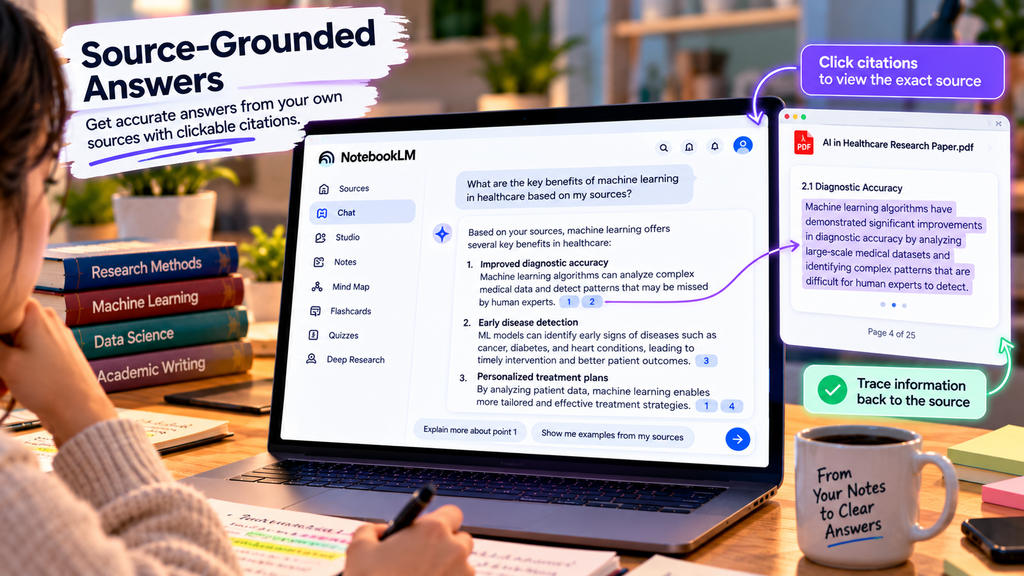
The tool is based on a method known as retrieval-augmented generation (RAG), meaning that it will first look through what you’ve uploaded to the file and then generate answers using AI, but only based on that information. This avoids the “hallucination” issue that is usually experienced with a general chatbot that comes up with information that seems convincing but isn’t true.
Explanations for technical terms in simple terms:
- The technology behind producing and analysing text, known as the “brain” (Gemini 3) of the AI.
- Source grounding: Your answers should only be from your documents, NOT the Internet.
- Citations: Reference citations that pinpoint specific locations within your documents to the information.
Key features of NotebookLM
- Source-Grounded Q&A
- Questions can be asked that involve NotebookLM, such as: “What are the central ideas of this research paper?” or “What is the concept of this lecture in simple terms?” Only the material that you uploaded is used to generate the AI’s response, and clickable citations are included. This is very helpful in confirming information or following an answer up to a reading.
- Audiovisual Summaries
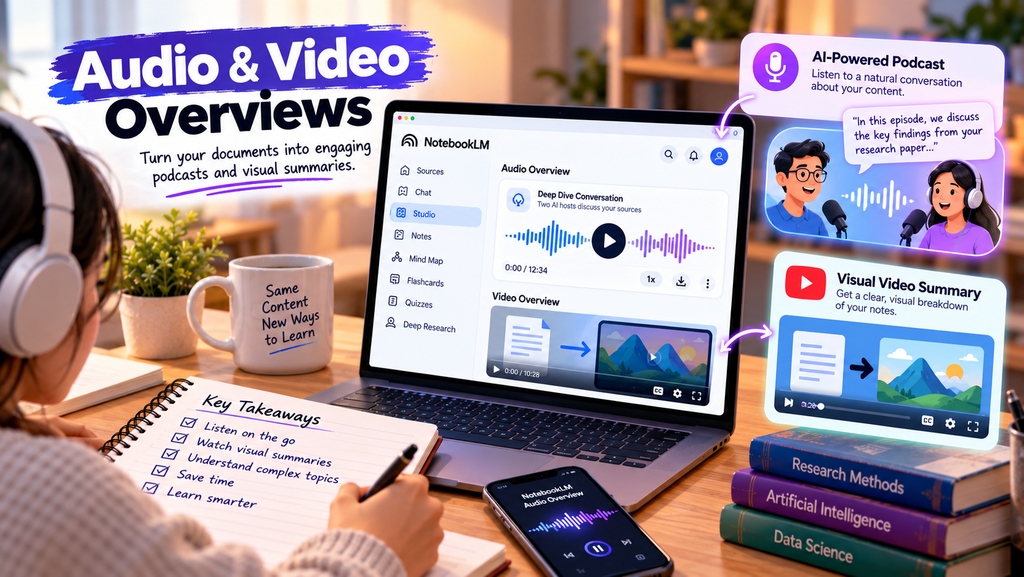
- Audio Overviews is one of the most popular features in NotebookLM, which transforms your documents into a conversation-like summary in audio format. Your content is presented to you in an engaging discussion format, with two AI hosts, so you can easily digest complex information on the go. 3 Audio Overviews per day are available with the free plan.
- This is a video overview or cinematic video
- By March 2026, NotebookLM will be able to create video summaries using a variety of AI models (Gemini 3, Nano Banana Pro, and Veo 3). By serving as a “creative director”, the AI can decide what kind of story and animation style you want to use, and then create smooth animated videos from your content. This feature is available at higher limits of usage on paid plans.
- Flashcards and Quizzes
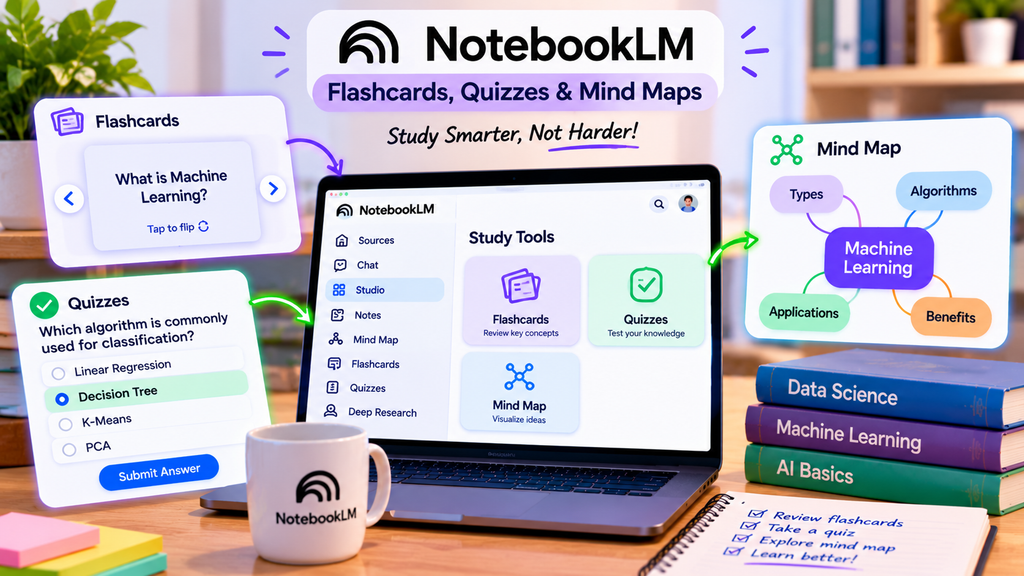
- Content uploaded will be turned into interactive flashcards and quizzes automatically by NotebookLM. The questions are taken directly from your course materials and do not need to be reread; instead, they are included to test your knowledge of your course. This active recall method has been demonstrated to be very effective in enhancing retention.
- This is a study guide and Mind Map
- It generates visual mind maps with relationships between concepts in your documents and structured study guides with bullets and outlines. These are useful for viewing the ‘big picture’ of a topic before going into detail.
- Deep Research
- NotebookLM can search the Internet independently to get more resources about your content, and combine your uploaded content with the searched ones. There is a 10-per-month limit of Deep Research reports available for free.
- Start working with the code
- After an update in June 2026, every notebook now contains a secure cloud computer which can write and run code, create charts and spreadsheets, and export PowerPoint decks natively. Not only is plain text available as an output format, but Markdown, slide-style outlines, and code snippets also.
Pros and Cons of NotebookLM
| Pros | Cons |
| Citation-backed answers make it easy to verify information and trace sources | Cannot answer questions outside uploaded sources, limiting its usefulness as a general tutor |
| Excellent for source-heavy studying like literature reviews, exam prep, and research projects | No built-in spaced repetition for flashcards reduces long-term retention benefits |
| Audio and Video Overviews transform dense documents into engaging, digestible formats | Usage limits on free plan may constrain heavy users during exam season |
| Generous free tier includes all core features with reasonable limits for most students | Large files must be chunked because it has a limit of 500,000 words per minute |
| Files can be exported in any format, like docs, PDF, media, or any other. | Not as good for file comparison or step-by-step guides |
| No subscription required for basic functionality—just a Google account |
Who Should Use NotebookLM?
Here are some of the key applications of NotebookLM:
- Students enrolled at university who are juggling a number of courses with high workloads and assignments
- Papers that were found to be pertinent and used in the literature search.
- Research Masters and PhD students with considerable source material. Master’s and PhD research students with a large amount of source material for their thesis/dissertation.
NotebookLM is designed specifically for a process of studying with a well-defined collection of documents like lecture slides, assigned readings, research papers, etc.
Who shouldn’t use NotebookLM?
NotebookLM might not be suitable for you if you:
- Seek a general tutor to explain concepts other than uploaded work
- If you want a math guide or the desired science tutorial in guidance way.
- Use flashcards for spaced repetition with algorithms built in.
- Use mainly memory or notes to study, without using electronic source materials
- If you want to run intensive all-day studies, then the free plan will be perfect for you because you can run as many queries as you want daily.
NotebookLM pay off?
Yes, if you are a student or researcher using ‘defined’ sources. With the free version of NotebookLM, you can revolutionize your learning process. It’s useful, like, for an exam or literature review, when you can upload lecture slides, textbook chapters, and research papers and then automatically have quizzes, flashcards, and podcast-style summaries.
We have a free version, which is sufficient for most students. The free plan has a limit of 100 notebooks, 50 sources per notebook, and 50 queries per day, which are enough for your semester-long courses if you aren’t handling hundreds of sources or need thousands of queries per day.
If paid plans are an option, consider the following:
- You are a graduate student or professional who is running a large research project that has 100+ sources.
- You need a lot of Audio/Video Overviews and want more generation limits per day.
- You have no access to Google Workspace and elevated quotas are required.
Not worthwhile if: Your primary purpose is to get someone to explain concepts, solve problems, or study without digital source documents. When the situation is like that, having access to ChatGPT or a specific tutoring application is more beneficial.
Conclusion
NotebookLM is not just a tool that is used for analyzing PDFs. Its basic purpose is to serve as an assistant in analyzing your own written notes, processing your lectures, and helping you study your projects.
There are some areas where it cannot be trusted, however, because AI-generated answers may be incorrect, and you shouldn’t let it teach you the content; you should learn it yourself. However, when working with a significant amount of study material every day, NotebookLM can help make it a lot easier.
If you’re a student in 2026, then NotebookLM is definitely worth trying. Use the free version and upload one of your subjects and see how the next study session will be easier.
FAQs
1. Can students access NotebookLM for free?
Yes. The free tier of NotebookLM only requires a Google account and allows for 100 notebooks, 50 sources per notebook, 50 queries per day, 3 Audio Overviews per day, flashcards, quizzes, mind maps, and Deep Research.
2. Can 2.5GB of notebooks be played without an internet connection?
No. NotebookLM needs Internet for the upload of sources, document processing and generating answers. All processing is done on Google’s servers.
3. What is the accuracy of NotebookLM’s citations?
Citations reference specific instances in your uploaded sources, so it is easy to verify. But the accuracy will rely on the quality of the sources, which may result in less accurate answers if the source is not clear or well organized. Always verify the information from important documents with original documents.