
To see a to-do list into a to-do list and have an AI respond with a valid calendar for the day in a few seconds, without drowning in all the chaos. From prioritizing tasks to setting up meetings, deadlines, breaks and personal appointments, AI can help take the guesswork out of planning everyday tasks. Don’t simply jot down all the tasks to get done—AI can help you prioritize, organize tasks into a schedule, and even, on its own and with a little help, remind you of something that’s recurring.
In this guide, you’ll discover ways to leverage AI for daily tasks, including: help writing a schedule, prompts & solutions to potential issues or requests, and helpful examples from daily usage. Whether you are a student, a working professional, a freelancer or busier than you can imagine, AI can be your personal planning assistant to help you remain organized and efficient throughout the day.
AI Task Management
AI task management is a process that involves natural language task creation, scheduling, organization, and reminders using an AI assistant, such as ChatGPT or Gemini. You can simply say or type a task: ‘remind me to email the client every Friday at 9 am’, and the AI will create the task and manage it for you – without having to open another app and fill out the title, due date, priority, and Category.
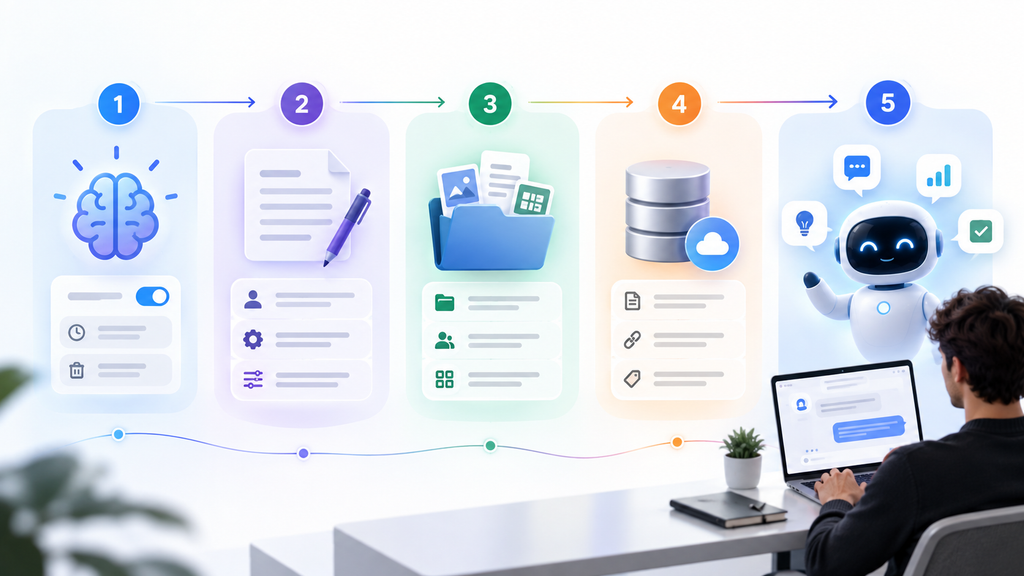
This is made possible thanks to the AI-powered chatbots and their ability to perform two things the old chatbots couldn’t do:
- Understand and use the terms time and recurrence, for example ‘every weekday’, ‘in 3 hours’ and ‘next Monday ‘, and use this to inform a true timetable.
- Once the conversation has ended, respond to the AI’s message by taking an action (and not immediately).
It is that much of a change. A typical chatbot that answers a question and forgets it. A task-capable AI assistant follows up with you, checks in, and keeps an eye on you while you’re working. What most people think when they hear the word “AI assistant” is a task-capable AI assistant that checks in, follows up, and monitors things in the background.
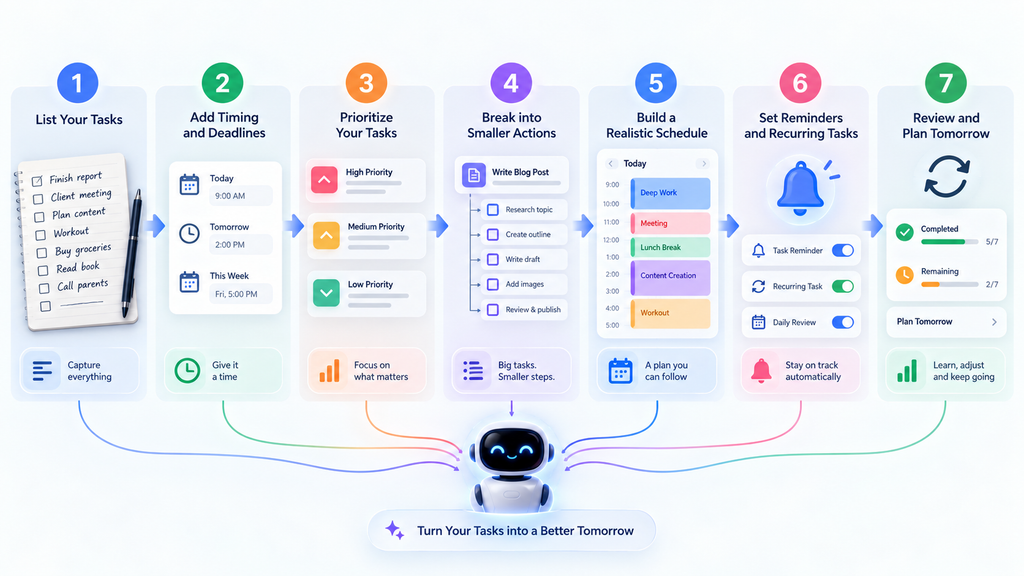
Managing Daily Tasks: A Step-by-Step Guide
| steps | What to Do | Why It Matters | Example Prompt You Can Use |
| Step 1 | List all tasksWrite down everything you need to do today—no filtering, no ordering. | Gives the AI a complete picture of your day so it can help you organize effectively. | “Today I need to finish a blog article, reply to three emails, study physics for one hour, buy groceries, exercise, and prepare a presentation for tomorrow.” |
| Step 2 | Add timing detailsInclude deadlines, meetings, available hours, task durations, commitments, and breaks. | Without time context, the AI can’t build a realistic or useful schedule. | “The presentation must be finished by 6 PM. My meeting is from 2 PM to 3 PM. I have about five hours available today.” |
| Step 3 | Ask for prioritizationRequest that tasks be ranked by urgency and importance. | Helps you focus on what truly matters first instead of getting lost in busywork. | “Prioritize these tasks based on urgency and importance. Put tasks with hard deadlines first, then important work, then optional tasks.” |
| Step 4 | Break big tasks downSplit large or vague tasks into smaller, 30-minute (or less) actions. | Turns overwhelming goals into concrete, doable steps you can actually start. | “Break ‘prepare my presentation’ into tasks that each take no more than 30 minutes.” |
| Step 5 | Build your scheduleAsk the AI to lay out your day with breaks, meetings, and priorities in mind. | Creates a realistic plan that respects your time and energy, not just your to-do list. | “Create a schedule from 9 AM to 5 PM. Include my 1 PM lunch break, a 2 PM meeting, and two short breaks. Give priority to my presentation deadline.” |
| Step 6 | Set reminders or recurring tasksUse your AI’s scheduling features to lock in habits and time-sensitive items. | Ensures important routines and deadlines don’t slip through the cracks day to day. | “Remind me every weekday at 9 AM to review my priority list.”(ChatGPT and Gemini both support scheduled tasks/reminders for eligible users.) |
| Step 7 | Review and roll overAt day’s end, evaluate what got done and move unfinished items forward wisely. | Turns planning into a continuous system instead of a one-off checklist, reducing stress tomorrow. | “I completed the presentation and emails but didn’t finish the article or exercise. Help me move the unfinished tasks into tomorrow without creating an unrealistic schedule.” |
Real-Life Example:
Suppose Sarah is a freelance content writer and a busy Tuesday is in store for her. She has an article to write for a client, an upcoming online call, several e-mails to reply to, a research project, and time for lunch and exercise. In order to keep things tidy, instead of having to organise them herself, Sarah entrusts her tasks and arrangements to an AI assistant.
Sarah’s prompt:
“Task: Write a client article for 1,500 words, reply to 8 emails, read and become familiar with a new topic, attend a 2 PM to 3 PM client meeting, exercise for 30 minutes, grocery shopping, and set aside some spare time for impromptu tasks.”
The AI reviews the deadlines and time available, and develops a schedule like this:
| Time | Task |
| 9:00–9:15 AM | Review priorities and plan the day |
| 9:15–11:15 AM | Write the 1,500-word client article |
| 11:15–11:30 AM | Short break |
| 11:30 AM–12:15 PM | Finish and proofread the article |
| 12:15–12:45 PM | Respond to important client emails |
| 12:45–1:30 PM | Lunch and rest |
| 1:30–2:00 PM | Prepare notes for the client meeting |
| 2:00–3:00 PM | Client meeting |
| 3:00–3:30 PM | Update tasks based on meeting decisions |
| 3:30–4:30 PM | Research tomorrow’s article |
| 4:30–5:00 PM | Exercise |
| 5:00–5:30 PM | Finish remaining emails |
| 5:30–6:00 PM | Buffer time and review tomorrow’s priorities |

The key is that AI is not mindless and just shuffles tasks in random order. It takes the deadline into account, pushes a client article up ahead of the day when Sarah is more ready to work, accommodates her scheduled appointment, and has some slack in the schedule if additional work comes up. There are even opportunities for Sarah to make adjustments. If she does want to go out for grocery is, all she has to do is ask the AI to make a 1-hour change for the grocery, and the AI does so.
Common Problems while setting up
- The feature is not available: Task scheduling features may be a smidgen and will likely call for a paid path. Review the subscription level and ensure that the app has been updated.
- Some tasks will have been paused from running automatically if they have been inactive for a period of time, the conversation with which they are associated has been deleted, or it requires further permission from the AI to be run again. Visit the status page of that task, and manually resume the task if required.
- Timing is off; restate the reminder verbatim: If the reminder is wrong, clarify it more completely – use terms such as “day of the week,” “time of day,” and “how often” rather than saying “later,” “soon,” etc.
- Web vs. mobile differences: Certain elements (such as calendar side panels) may show up on the web first, or the mobile version first. If it is not available on one device, then it should be on the other device.
- Setting reminders doesn’t work: Alerts being set in the app settings have been enabled in your phone/browser.
Conclusion
Being busy doesn’t always equal constantly looking about and looking at the ever-growing ‘to-do’ list, and thinking ‘what do you do next?’. The AI will assist you in prioritizing your tasks, figuring out what you should do next, and developing a schedule that suits your day. A really helpful feature to get you through the day, anticipate what you will need to complete, and set reminders.
The key is getting your time and calendar available to AI, and allowing it to present ideas which you can decide to apply or not. Start by creating a task list, and have the AI add tasks to it for things you want to go in a smooth flow. You can also take advantage of more advanced functions, saving time and simplifying your daily routine.
FAQs
1. How to use AI to manage daily tasks?
Open an AI tool that can perform tasks, such as ChatGPT or Google Gemini, and verbally explain your request, including when and how often it must repeat. Its job is to develop and oversee the task—this is the role of the AI.
2. Can I use AI task management for free?
It depends on the tool. As of the features covered here, ChatGPT’s Scheduled Tasks is generally tied to paid plans, while some Gemini calendar features have appeared in free Google accounts during testing phases. Pricing or availability changes from time to time, so check the official sites.
3. Why AI reminder not working?
The most common causes are a paused task, missing notification permissions, or vague timing in the original request. Check the task list first.