
Table of Contents
You provide the exact same writing assignment to ChatGPT and Claude. Both create an article. They both obey YOU. Both can reword a weak paragraph. It now begs the question: So why are many content creators preferring one over the other?
Often the difference is visible after the initial draft – when researching, developing a style all your own, editing less eloquent sentences, working with longer papers, and polishing away the work product of an AI to make it publish-ready.
While both ChatGPT and Claude are immensely strong writing tools, they do not necessarily have the same experience. One could be better for those wishing to have a general overall workflow plan for research and content creation, while the other may be better for long-form writing and keeping their writing voice consistent.
Rather than the question of better-written texts, consider the real question: what is easier for you to use to facilitate your content creation workflow?
Two AI Writers, Two Different Workflows – ChatGPT vs Claude for Writing
At a basic level, both tools can handle the same core writing jobs:
- Blog posts
- Articles
- Social media posts
- Emails
- Scripts
- Product descriptions
- Rewriting
- Summaries
- Brainstorming
- Content outlines
ChatGPT: ChatGPT’s writing workflow is closely connected to its wider ecosystem. Canvas is designed for working on documents through iterative editing, while Projects can keep chats, files, instructions, and related context together for ongoing work. ChatGPT also offers web search and research features for gathering current information.
Claude: Claude takes a somewhat different approach. Its Projects can store reference material and custom instructions, while its Styles feature lets users customize how Claude communicates. Artifacts provide a separate workspace for working with generated documents and other outputs alongside the conversation.
That distinction becomes much clearer once you actually start creating content.

The Difference You Notice When the Blank Page Is Waiting
If you have a topic but have no idea where to start.
You could ask either of these tools:
“Write a 1500-word article on the top 6 AI tools for business.”
An outline can be produced by both. But the real question is – what happens after that?
- ChatGPT: Generate ideas, write and edit text, research topics, analyze files; you can handle these all within the same general workspace. The Canvas environment is particularly designed to help revise particular documents or documents in general, such as penciling modifications, extending, reducing the reading levels, and polishing the texts.
- Claude: Claude’s strength is particularly noticeable when the project involves maintaining a defined voice and working repeatedly from a body of reference material. Anthropic’s Projects allow users to provide documents and project instructions, while Claude’s Styles can be customized from writing examples.
ChatGPT Features
| Feature | ChatGPT Capability |
| Research the latest product information | Web search and deeper research tools gather current data from multiple sources |
| Collect relevant sources | Research tools produce structured, cited outputs from multiple web sources |
| Build an article outline | Create Structured outlines with headings, subheadings, and points |
| Draft the introduction | Generate engaging opening paragraphs tailored to audience and tone |
| Rewrite sections for a general audience | Simplify technical content, adjust reading level, and improve clarity |
| Analyze supporting documents | Upload and analyze PDFs, docs, or other files for insights and summaries |
| Create accompanying visual material | Generate images (Images 2.5) to complement written content |
| Edit the final article | Review and edit drafts for grammar, flow, and consistency |
| Ongoing content work | Projects feature stores chats, files, instructions, and accumulated context for continuity |
Claude Features
| Feature | Claude Capability |
| Projects | Store reference material (style guides, previous work, transcripts, documents) and use across related tasks for continuity |
| Styles | Choose preset communication styles or create custom styles using writing samples to establish consistent tone and voice |
| Custom writing style | Create a style based on previously published articles and apply it to future drafts, reducing repetitive prompting |
| Document-centered workflow | Upload and analyze long documents, maintain context across sessions, and work with project knowledge |
| Creative professional positioning | Designed for ideation and repetitive creative work while integrating with established creative tools |
| Editing efficiency | Reduces the amount of prompting needed to explain desired tone, though editing is still required |
The Features That Actually Matter to Content Creators
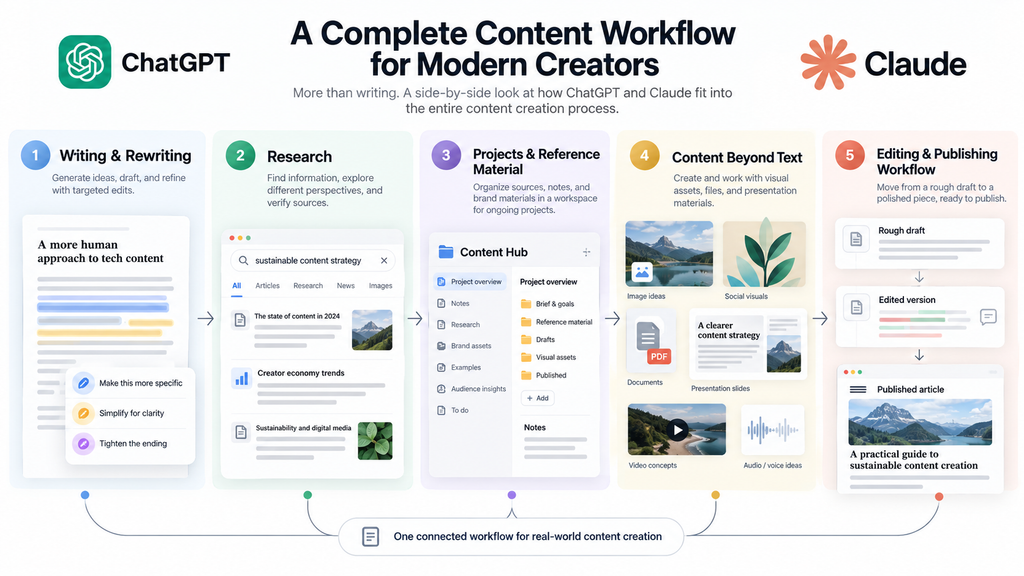
1. Writing and editing
Both tools can draft, rewrite, shorten, expand, summarize, and change tone. ChatGPT’s Canvas is particularly useful when you’re repeatedly editing a document rather than starting a fresh conversation for every revision. It supports targeted edits and document-level changes. Claude’s custom Styles and project instructions can be useful when consistency of voice is the priority.
2. Research-assisted content
If your articles depend heavily on current information, research capabilities become important. ChatGPT Search can retrieve current information from the web, while its deeper research workflow is designed to gather, compare, and synthesize sources with citations. This can be particularly useful for technology journalists, bloggers, and creators covering rapidly changing subjects. However, neither tool should be treated as automatically accurate. Important facts, quotations, statistics, product specifications, and claims should still be checked against primary sources.
3. Long projects and reference material
Claude’s Projects are designed to ground responses in a project’s internal knowledge, including documents and custom instructions. ChatGPT Projects similarly combine chats, files, instructions, and context in one workspace. So the difference isn’t simply “one has projects, and the other doesn’t.” The more useful question is which project’s workflow feels better for the way you organize your content.
Features Comparison
| Feature | ChatGPT | Claude |
| Blog writing | Strong | Strong |
| Rewriting and editing | Strong, with Canvas | Strong, with Styles and Projects |
| Custom writing style | Custom instructions and project context | Dedicated Styles and project instructions |
| Long-form projects | Projects + Canvas | Projects + Artifacts |
| Web research | Search and deeper research tools | Research and web-connected capabilities vary by plan/product |
| File/document work | File uploads and analysis | Document uploads and project knowledge |
| Image generation | Available | Broader visual/design capabilities are expanding |
| Content workflow | Broad productivity ecosystem | Strong document/project-centered workflow |
| Free access | Available | Available |
| Individual paid entry | Plus at $20/month in the U.S. | Pro at $20/month in the U.S. |
| Best fit depends on | Workflow breadth and research/productivity needs | Writing style, projects, and long-form collaboration needs |
Choosing Between Them for Your Next Article
If you’re a blogger
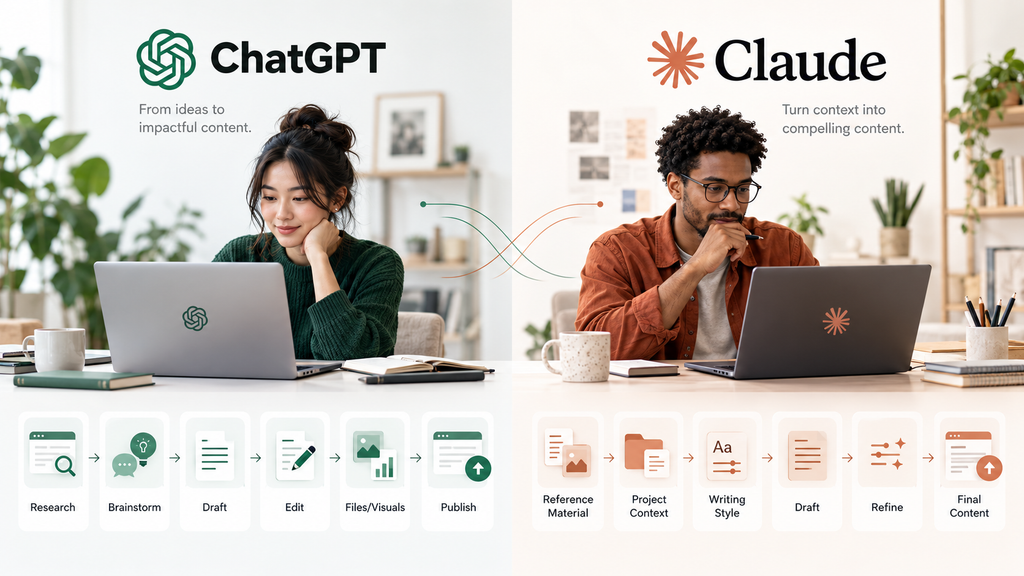
Both can do the entire writing process from topic ideas through draft and rewrite. If your job involves researching, files, images, and other productivity-related activities in addition to writing, ChatGPT may seem somewhat natural and intuitive. If you’re more interested in adopting a specific style when you write and you’re creating work built around a group of source documents, Claude can help you in this respect.
If you’re a content marketer
Don’t only focus on the quality of one blog post. You might want to think more about consistency over multiple dozen pieces, adapting content to various audiences, keeping to brand guidelines, and reusing existing material. This type of structured workflow might be facilitated by custom Styles and Projects to Claude. The Projects and wider ChatGPT system can be useful in a marketing context where research, files, visual content, and various types of deliverables are all considered.
If you’re a technology writer
Current information matters. A writing model can produce beautiful prose and still give you an outdated product specification. ChatGPT’s web search and research tools make current-source research a prominent part of its workflow. Regardless of the platform, technology writers should verify important claims against official announcements, documentation, pricing pages, and other primary sources.
If you’re a social media creator
The difference may be smaller. For short captions, hooks, content ideas, scripts, and rewrites, both can handle the core work. Your preferred tone, workflow, and the tools you already use may matter more than a theoretical difference in writing quality.
Conclusion
ChatGPT and Claude are not just tools capable of creating paragraphs—they can be a part of your complete content workflow. The true distinction will have to do with the process of creation. Claude might be more attractive for writers who are working on longer content, giving content context, and having the same style of writing. Meanwhile, creators who use multiple productivity tools, research, files, and images might find ChatGPT a better fit.
If you still don’t know, then do not base your decision on features. Assign both the same real-world writing opportunity, and examine which one will need less editing before it can be published. It is a lot more than a benchmark, and with just a small test it can tell you a lot more than any benchmark—and may help you figure out which AI is the superior writing partner for you.
FAQs
1. Is Claude superior to ChatGPT for writing purposes?
Both are good writing assistants in many respects, but have some different approaches to them. The versatility of ChatGPT takes thinking beyond words and research, editing, files, images, and broader productivity tools to an extreme, while the innovations of Claude prioritise projects, writing styles, long-form collaboration, and document-oriented workflows.
2. Which is more affordable: ChatGPT or Claude?
Both ChatGPT Plus and Claude Pro are priced at $20 per person per month in the U.S. and may feature different amounts of usage quotas and local prices, so be sure to look at the current plan page before you subscribe.
3. Is it possible to use both ChatGPT and Claude to create content?
Yes. If they are used as part of different aspects of your work they can make sense to use both. For instance, you may be handing one over for research, brainstorming, and drafting, and the other for checking or editing. The idea is to confirm any factual statements, whether they’re from AI or not.