If your next design project didn’t begin with a blank canvas, what would it begin with?
The concept behind Canva AI is exactly that. Designers can use AI to streamline many of these tasks directly within Canva, as opposed to having to search for templates, build layouts, edit photos, and write copy in a couple of hours.
However, there is a crucial issue: does Canva AI truly improve designers’ productivity, or is it merely a set of AI tools fighting for attention?
Beyond the feature list, this Canva AI review explores its potential in 2026, the usefulness of the AI features in regular design projects, the cost of Canva AI, where it falls short, and who will benefit from it the most.
Quick Review
| Feature | Details |
| Best for | Content creators, small teams, marketers who need fast, easy, and simple visuals |
| Free version | Yes—limited AI allowance (up to 20 Standard/Premium uses/month), no Ultra AI |
| Paid plans | Pro (~R$35/mo), Business (~R$49/user/mo); AI Pass add-on for heavy AI use |
| Ease of use | Very high—conversational prompts, drag-and-drop editor, templates |
| Main strength | End-to-end visual workflow with AI that generates editable, on-brand designs |
| Main limitation | Advanced AI (Ultra tier) is gated; heavy users may need the $100/mo AI Pass add-on |
Canva AI in 2026?
Canva AI 2.0 is the new version for Canva’s AI. Canva AI 2.0 is the AI assistant that acts as an agent through Canva’s entire Visual Suite of products (Docs, Sheets, Presentations, social posts, websites, and more).
Simply put: You write your desired design in natural language, Canva AI generates a fully editable design that aligns with your styles, then iterates, schedules, and publishes—all within Canva. It is built for users of all experience levels – from the novice designer to experienced professionals – but particularly for teams where the goal is to get something done quickly and with brand consistency.
How Canva AI works
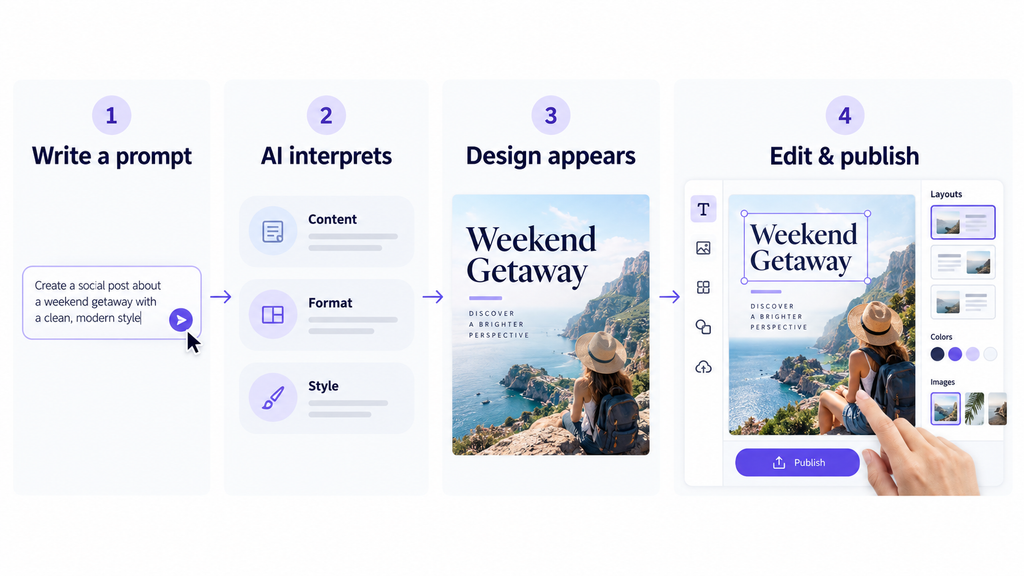
Canva AI 2.0 is based on four fundamental concepts:
- Conversational Design: Type or say something like ‘Create a 10-slide investor deck for a fintech startup’, and Canva AI will produce a template that you can populate with your design and content.
- Agentic Orchestration: Canva orchestrates multiple tools (image, copy, charts, resize, translate) and performs multiple step operations from a brief.
- Object-Based Intelligence: Outputs are layered & editable—Input is an image and can be changed, a headline can be edited, a section can be restyled without the need to re-generate the entire output.
- Living Memory: Canva AI will begin to embrace your color, fonts, brand, etc.
You can even connect external applications (such as a Zoom transcript to create a meeting summary deck, or a thread of Google Mail to create a sales one-pager) to make Canva AI work with context.
Key Features of Canva AI
These are the mainstream capabilities of AI that are most relevant to daily business.
1. Magic Design and Conversational AI
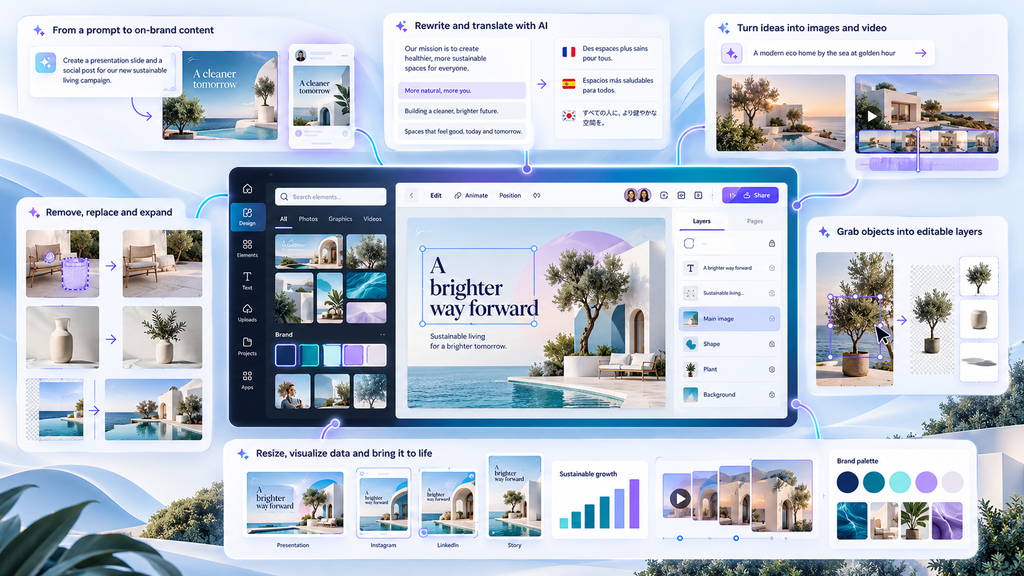
State your objective or upload a rough brief, and Canva AI provides you with full layouts (social media posts, presentations, docs) you can then tweak. Canva AI 2.0 is different from the previous AI-driven generators, which simply provide a flat image. Canva AI 2.0 will be unlike older generators in that it will bring back objects that can be edited and styles that are aligned with the brand.
2. Magic Write
In the canvas, draft headlines, captions, body copy, and translations using Magic Write. It comes with plenty of quotes on paid plans and does not always consume your AI credits, making it useful for normal copywriting jobs.
3. Magic Media (Image and Video)
Use text prompts to create creative images and short videos. In the Ultra tier, which is limited on Free and is required for serious volume on Pro/Business (or AI Pass), there are higher-quality video and advanced image models.
4. Magic Edit, Eraser, Expand, Grab, Layers
- Magic Edit: Change part of an image with a text prompt.
- Magic Eraser: Remove distracting objects.
- Magic Expand: Extend image borders to fit new aspect ratios.
- Magic Grab: Lift subjects to reposition.
- Magic Layers: Convert a flat JPG/PNG into editable layers.
Most of these are Premium/Ultra AI tools and count against your monthly allowance.
5. Magic Resize, Translate, Animate, Charts
Automatically adapt one design to multiple formats, translate content, add motion, or turn data into designed charts. Many Standard AI tools (like Translate and Magic Write) are included abundantly on paid plans and may not consume your allowance, while advanced variants do.
6. Brand Intelligence and Connectors
Auto-applies fonts, colors, and your voice throughout your Brand Intelligence. Connectors will pull content from apps like Slack and Gmail, and help Canva AI create meeting summaries, newsletters, or brief overall campaign messages, without requiring any copy/pasting for yourself.
How Good Is Canva AI?
Canva AI’s strength isn’t raw model power—it’s workflow. It turns ideas into editable, on-brand assets quickly and keeps everything in one place. For routine marketing and internal comms, that’s a major time-saver.
- Quality of output: Good for social and business use; templates and brand control ensure consistency. Very high-tier image/video quality (paid tiers).
- Finesmotor skills: Excellent. Learning curve is reduced with the help of conversation prompts, drag-and-drop editing, and prebuilt templates.
- Reliability: Canva is a very established platform, with hundreds of millions of users, having reliable core features and editor. Resets monthly and is based on the difficulty of the task. All allow resets every month, according complex of the task.
- The availability of extension services (comments, tasks, approvals) between Business/Enterprise and its strength, coupled with the Administration control over the use of AI at scale, indicates a high level of usability.
Pros and cons
| Pros | Cons |
| Produces fully editable, on-brand designs from simple language prompts | Advanced AI (Ultra tier) comes with a cost and is limited in the free tier (AI Pass is required). |
| One platform for researching, designing, copying, resizing, translating, scheduling, and publishing. | The amount of AI allowance given is distributed and task-specific; the more complex the job, the more credit will be used. |
| It is very easy to use, with a huge template and asset library. | Some pro controls are needed only by business or enterprise users. |
| Team features (Brands, approvals, admin functions) work well for small to medium teams. |
Who Should Use Canva AI?
- One-off creators or freelancing social channel creators who require rapid and on-brand social posts, thumbnails, and easy videos without juggling around multiple apps.
- Data-integrated teams with small or middle-sized marketing teams seeking consensus-driven Brand Kits and Approvals with AI-driven content at scale.
- Educators, nonprofits (access to premium features is either free or discounted if you are a qualified nonprofit, K-12 level through).
- Using Brand Intelligence and admin controls to create visual communications that are the same across decks, docs, adverts, and internal resources.
Who should avoid Canva AI?
- Heavy image/video generation with AI (requires a large amount): The Free/Pro level has a high ceiling for image/video generation, but AI Pass may be needed or a dedicated generative AI tool for heavy generation.
- Pro designers looking for control down to the pixel or portability of their master files: Canva’s capabilities are in-line for editing, but not quite Photoshop/Illustrator as an editing tool for all pro users.
- Possesses more governance, but specialized sub-groups may be looking to specialized stacks for teams that need extra control over data residency and/or model control.
Canva AI vs Alternatives
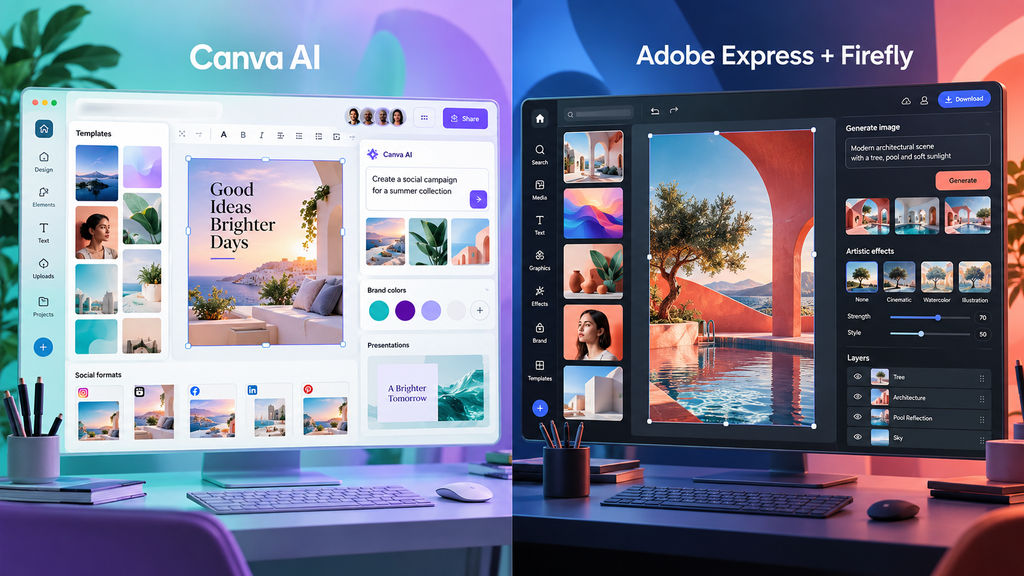
| Category | Canva AI | Adobe Express (with Firefly) |
| Best for | All-in-one visual workflow with templates and brand controls | Quick social graphics with strong generative AI in the free tier |
| Key features | Conversational Design, Magic Studio (Write, Edit, Eraser, Expand, Layers), Brand Intelligence, Connectors | Firefly image/text effects, templates, basic animation |
| Ease of use | Very high (templates + conversational AI) | High (simple editor + generative tools) |
| Pricing | Free tier limited; Pro/Business paid; AI Pass for heavy AI | Free tier includes more AI; paid plans for advanced features |
| Main limitation | Advanced AI gated; allowance-based | Fewer end-to-end workflow and brand governance tools |
Is Canva AI Worth It?
Yes, but if you crave content to be superfast, super-branded, and super easy to create in both social and deck, docs, and simple video formats—then you want an all-in-one workflow. While the Free plan is great for basic use, the Pro plan provides access to the team’s AI functions—such as background remover, resize, translate, and Magic Studio. Heavy AI users should write for AI Pass or carefully or should like to keep allowance of AI.
- Best fit: Any solo creator, small teams, marketers, educators, and nonprofits that require visuals consistently without a lot of heavy design work.
- Be cautious when: Your main need is for generating images and videos with really high volumes (high quantities) using the Ultra AI features or advanced pixel editing outside of Canva’s system.
Conclusion
For designers looking to produce quicker content while maintaining creative control, Canva AI proves to be a valuable tool. Design, image editing, content creation, and repetitive tasks from a single place are the elements become easier with its new AI features. It’s particularly beneficial for social media marketers, designers, and social media beginners. Still, more robust and specialized software may be desirable for more advanced designers for certain kinds of projects.
In conclusion, while Canva AI is not meant to take the place of any good designer, it can also serve to make a good designer that much more productive.
FAQs
1. What are alternatives to Canva AI?
Other tools include Adobe Express (Firefly), VistaCreate, and a few (but growing) generative tools such as Midjourney for images.
2. Will you use Canva AI in 2026?
Yes, if speed, consistency of brand, and an all-in-one workflow are important for most creators and small development teams. Users having to deal with both heavy usage of AI and Ultra will need to arrange for AI Pass or other systems.