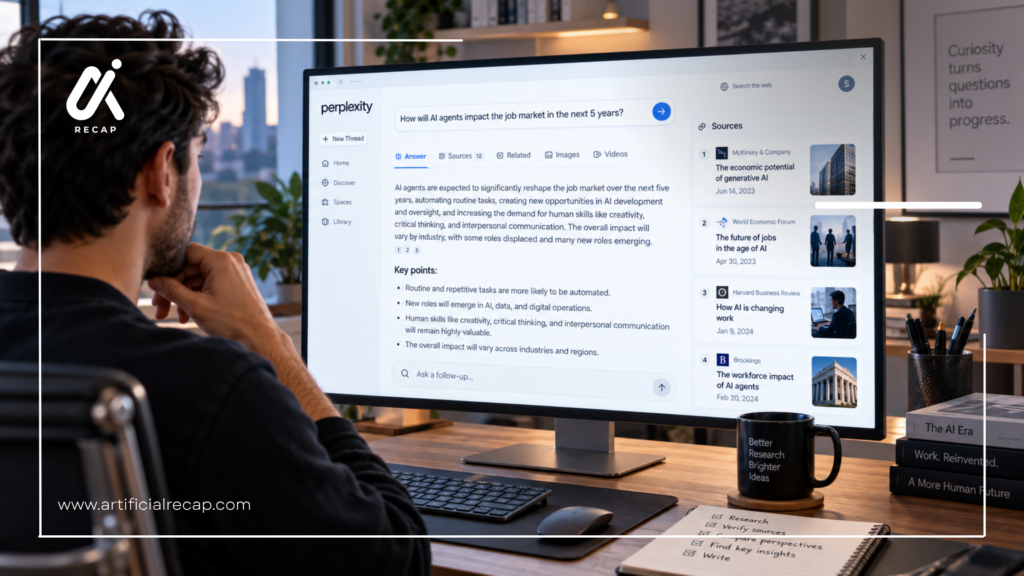
Perplexity and NotebookLM both make working with information easier—but they do it in very different ways. Perplexity shines at finding and researching information across the web, while NotebookLM is built to help you understand the documents and sources you already have. So, which one is better for documentation? Let’s compare them to find out.
Perplexity vs NotebookLM Features
AI model and reasoning
- Perplexity has more apparent model selection. Users can choose or utilize a variety of models from OpenAI, Anthropic, Google, Perplexity, and other sources, based on their chosen plan. It can be helpful in situations where documentation calls for different kinds of reasoning, writing, or code generation.
- NotebookLM presents a more controlled experience. Users generally interact with Google’s NotebookLM system rather than manually selecting from a broad model marketplace. The advantage is simplicity and source focus; the trade-off is less control over the underlying model.
Winner: NotebookLM for controlled documentation; Perplexity for open-ended research.
Writing quality
- Perplexity is usually more useful for creating polished, externally cited drafts. It can turn research into reports, comparisons, summaries, and other documents while preserving web references. Eligible users can also create documents and other assets directly inside Perplexity.
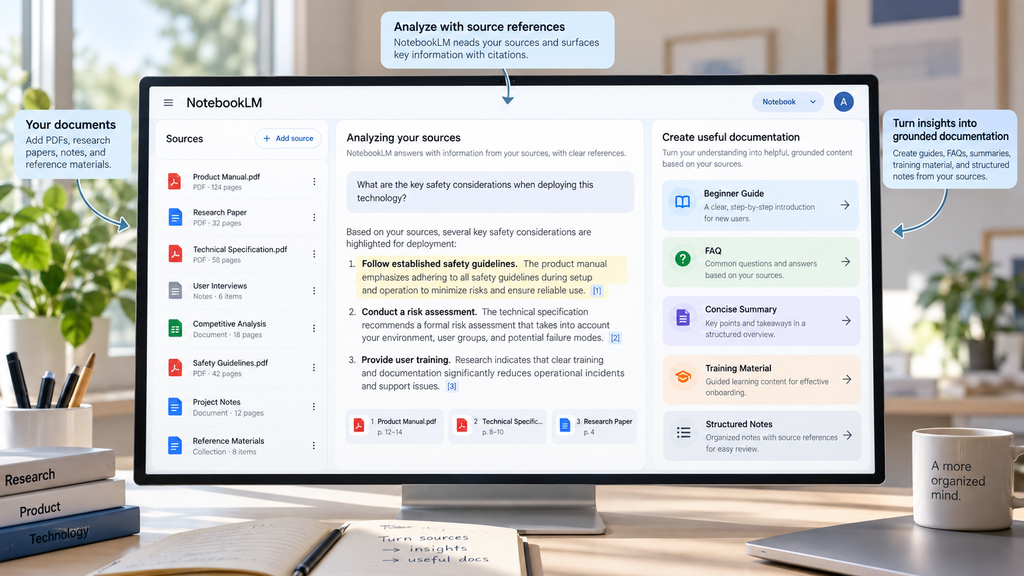
- NotebookLM is better at transforming a source collection into practical documentation. For example, a user can upload a product manual and ask for a beginner’s guide, troubleshooting document, FAQ, glossary, or training outline.
Winner: Perplexity for published research content; NotebookLM for source-based internal documentation.
Coding and technical documentation
- Perplexity is better for current technical research because it can search official developer documentation, GitHub repositories, release notes, and other online sources. Its file upload and model-selection options are also useful for reviewing code or explaining technical material.
- NotebookLM can be effective for a fixed technical corpus, such as API documentation, architecture decisions, onboarding notes, and engineering standards. It can answer questions about those materials and produce summaries or training content.
Winner: Perplexity for current coding documentation; NotebookLM for explaining a controlled technical knowledge base.
Research and web search
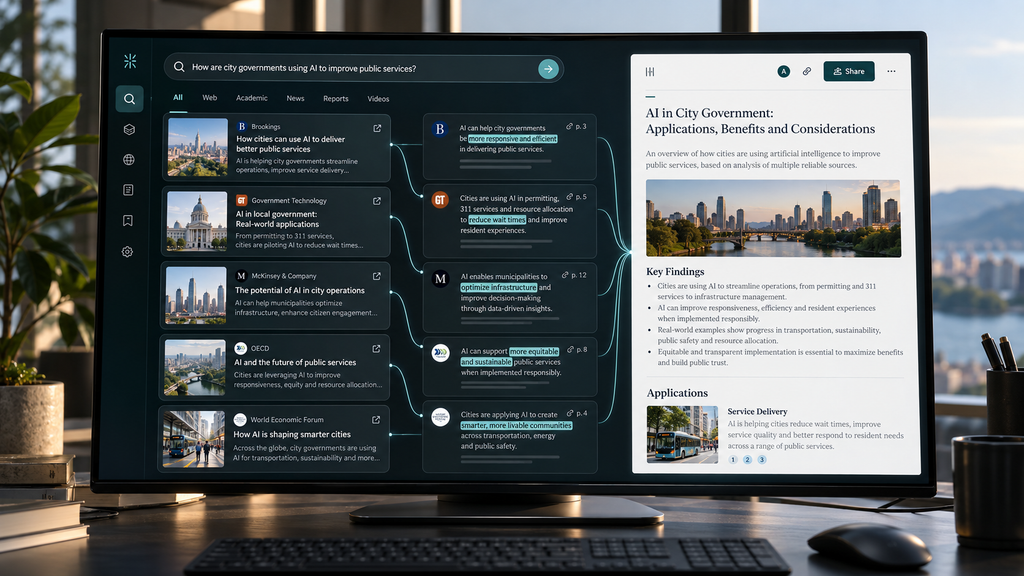
- Perplexity searches the web as part of its core workflow. Its Pro plan includes more citations, extended Research access, and the ability to use advanced models for complex questions.
- NotebookLM is designed around sources that users add to a notebook. It can import and analyze selected websites or documents, but it does not serve the same purpose as a continuously searching web research engine.
Winner: Perplexity.
File and document analysis
- Perplexity supports PDFs, text files, code, images, audio, and video uploads, with allowances that reset on a rolling weekly basis and vary by plan. It can analyze a file alongside web sources, which is helpful when a user wants to compare an internal document with current public information.
- NotebookLM is more notebook-oriented. Google documents a standard limit of 50 sources per notebook, with each source limited to 500,000 words or 200 MB for local uploads. Paid tiers can increase the number of notebooks, sources, and daily queries.
Winner: NotebookLM for maintaining a structured document library; Perplexity for combining files with live research.
Context window and long conversations
- A context window is the amount of information an AI system can consider during a task. A larger context window can help with long files or complex discussions, but it does not guarantee accurate answers.
- NotebookLM’s source limits make it practical for large document collections, especially when the user selects relevant sources before asking a question. Perplexity can also process large files and research tasks, but users must account for upload allowances and session behavior.
- The more important factor for documentation is not merely the largest number. It is whether the tool can reliably retrieve the correct section, preserve citations, and keep the work organized over time.
Winner: NotebookLM for sustained source-library work.
Privacy and data handling
- Google says NotebookLM data is not used to train Gemini unless the user provides feedback. For Google Workspace and Google Cloud users, Google documents stronger protections, including no human review of uploads, chats, and outputs for model training in the described enterprise contexts.
- Perplexity says Free, Pro, and Max users have AI data retention enabled by default, but users can turn off AI-training data collection in settings. Perplexity also states that agreements with third-party model providers prohibit those providers from using Perplexity data to train their models.
Winner: NotebookLM for its simpler default documentation on source privacy; Perplexity can also be suitable when the user applies the correct data controls or uses an enterprise plan.
Quick Comparision
| Feature | Perplexity | NotebookLM |
| Developer | Perplexity AI | |
| Primary purpose | Web research and cited answers | Source-grounded research and knowledge organization |
| Internet access | Yes, central to the product | Primarily works from user-provided sources |
| Free plan | Yes, with usage limits | Yes |
| Paid access | Pro, Max, Education Pro, Enterprise and API options | Google AI Plus, Pro, Ultra, Workspace, and Google Cloud options |
| Starting paid price | Perplexity Pro is listed at $20 per month in current Perplexity pricing materials. | Pricing depends on the Google AI plan or Workspace license |
| Standard source capacity | Depends on plan and workflow | Up to 50 sources per notebook and 500,000 words per source. |
| Paid source capacity | File limits vary by plan | Up to 300 sources per notebook on the documented Pro tier. |
| Web search | Strong native capability | Not designed as an open-web answer engine |
| Source citations | Inline web and file citations | Citations and references tied to notebook sources |
| PDF analysis | Yes | Yes |
| Spreadsheet analysis | Yes, depending on plan and workflow | Supported through notebook sources and data features |
| Audio and video analysis | Supported uploads on eligible plans | Supports audio and video sources |
| Research reports | Yes, through Research and related features | Yes, based on notebook sources |
| Audio overviews | No direct equivalent to NotebookLM’s source-based feature | Yes |
| Video overviews | Limited or plan-dependent features | Yes, with usage limits depending on plan |
| Image generation | Available on eligible plans | Not its primary purpose |
| API | Yes, separately billed | No general NotebookLM consumer API equivalent |
| Team and enterprise features | Enterprise repositories, administration, and internal search | Workspace and Google Cloud enterprise options |
| Best for | Current, externally cited research | Documentation from a controlled source library |
Which offers better value?
NotebookLM offers stronger value for users who mainly need to analyze their own documents and can use the free tier or already have Google AI access. Its source organization and artifact-generation features are particularly useful for education, research, onboarding, and internal knowledge work.
Perplexity offers better value for users who would otherwise pay for several separate research tools. Its paid plans combine web search, citations, multiple models, file analysis, research workflows, and document creation.
The cheaper product is not automatically the better choice. The deciding question is whether the documentation is based on a controlled source set or requires continuous external research.
Which AI Tool Should You Choose?
Choose Perplexity if you:
- Need current information from the web.
- Write articles, reports, or market analyses.
- Need citations to external pages.
- Research changing software, regulations, or competitors.
- Want to compare multiple AI models.
- Need API access or developer-oriented workflows.
- Want to combine uploaded documents with live web research.
Choose NotebookLM if you:
- Already have the documents you need.
- Want answers restricted to an approved source set.
- Need a searchable notebook for manuals, papers, or meeting notes.
- Create training guides, FAQs, or study materials.
- Want audio overviews, quizzes, mind maps, or source-based reports.
- Work primarily inside the Google ecosystem.
- Need a lower-risk workflow for internal or educational documentation.
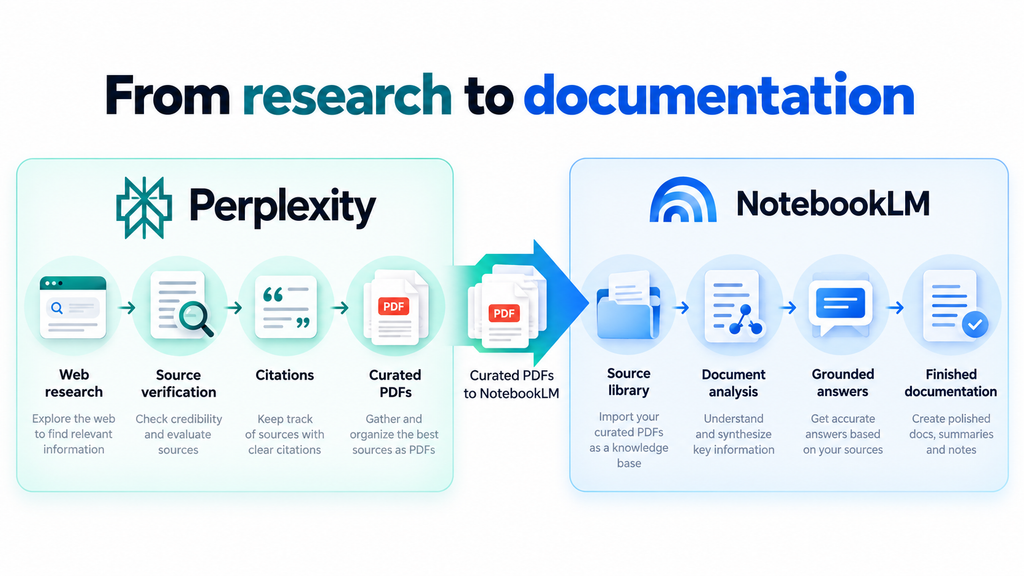
Choose both if you:
- Research current information with Perplexity.
- Verify and curate the source material.
- Store the final collection in NotebookLM.
- Use NotebookLM to produce grounded documentation.
- Return to Perplexity when the documentation needs current external updates.
Conclusion
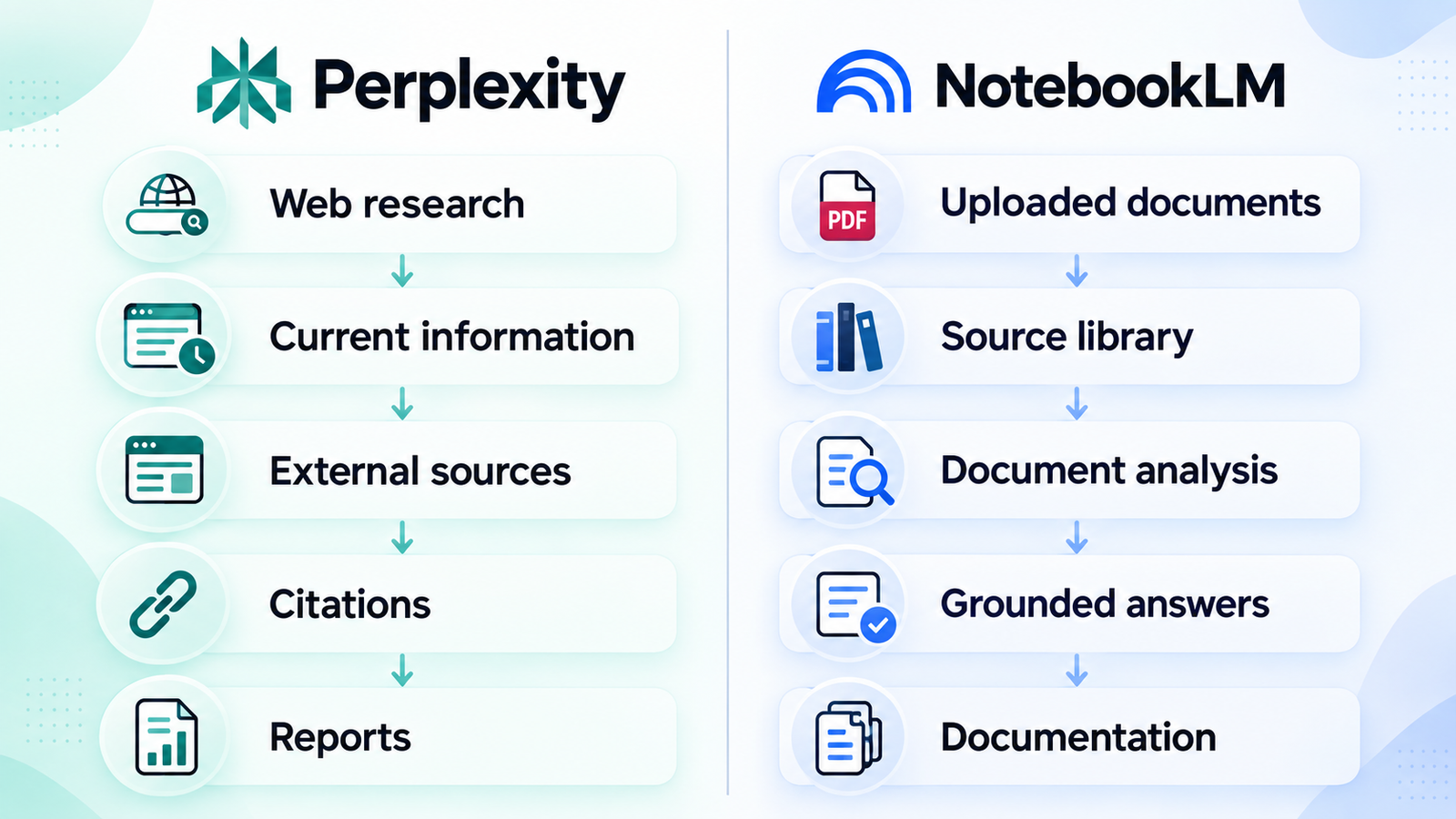
Perplexity and NotebookLM take different approaches to documentation. Perplexity is a strong choice for finding current information and researching across the web, while NotebookLM is better suited to analyzing and organizing documents you already have.
If you need to perform research outside of your work, select Perplexity. NotebookLM might be better suited for you if you are primarily working with PDFs, notes, manuals, or internal documents. Select the one corresponding to the source of your information or both in case you require research and analysis of documents simultaneously.
FAQs
1. Is Perplexity better than NotebookLM for documentation?
Perplexity is better for current documentation that requires web research and external citations. NotebookLM is better for documentation based on a fixed collection of manuals, PDFs, websites, transcripts, or notes because it keeps answers grounded in the selected sources.
2. Which is better for technical documentation?
Perplexity is usually better for technical documentation involving current APIs, software releases, repositories, and online developer resources. NotebookLM is better for documenting an existing internal system when the relevant architecture documents, standards, and procedures have already been uploaded.
3. Which is better for students?
NotebookLM is usually better for students who want to study textbooks, lecture notes, papers, and uploaded course material. Perplexity is useful when students need current web research, source discovery, or explanations that go beyond their supplied documents.
4. Can both tools be used together?
Yes. A useful workflow is to use Perplexity to find and cite current sources, then add the verified documents to NotebookLM for controlled analysis, FAQs, summaries, and training materials. This reduces the risk of mixing unverified web information into a finalized knowledge base.