In the past, it was difficult to make a video that looked like a movie without buying expensive software and having a professional production team. Making AI videos that look like movies was difficult in the past without purchasing expensive software and hiring a professional production team. Kling AI is among the platforms seeking to bring high-quality video creation to the mass creator.
Kling provides a surprisingly robust suite of tools in a single platform, including text-to-video generation, image-to-video generation, Multi-Shot generation, native audio, and 4K output. Highly rated features don’t always pay off. But is Kling AI really worth the money, particularly if you’re on a budget?
In this Kling AI Review, we will examine its video quality, its main features, pricing, credit system, its limitations, and whether it is an appropriate tool for various kinds of creators.
What Is Kling AI?
Kling AI is an AI video and image creation platform developed by Chinese internet company Kuaishou Technology, the developers of the Chinese short video app Kuaishou. Transfers reference images or text instructions into short videos, movement of the camera, consistency of the characters, lip synchronisation, sound effects and music.
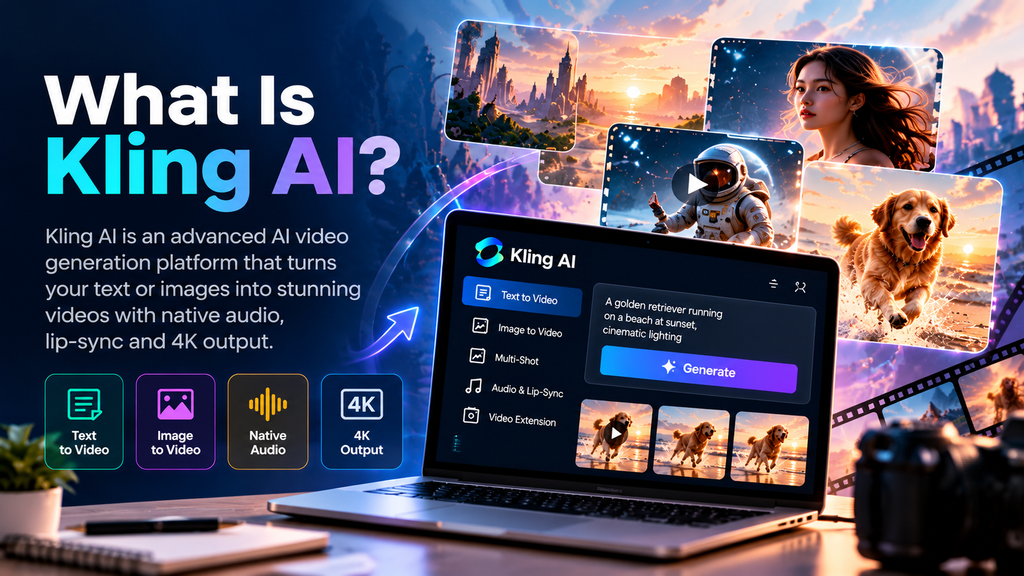
Designed for people who need some video content but don’t have the time to film, hire actors and set up an elaborate editing pipeline. A text prompt or uploaded image can be used to create clips for social media, product visuals, animated scenes, talking characters and more.
The great thing about Kling is its quality/price balance. It can handle up to 15-second generations in its Video 3.0 series, with native audio and lip-sync capabilities, multi-shot scenes, and 4K output – all features usually found in higher-quality, professional equipment.
| Feature | Kling AI |
| Best for | Creators, marketers, and small teams making short AI videos |
| Free version | Yes, with daily credits and a watermark |
| Paid plans | Standard, Pro, Premier, and Ultra |
| Starting paid price | $6.99/month introductory; renews at $8.80/month |
| Main strength | Strong video quality for the price |
| Main limitation | Credit costs can rise quickly for long or 4K projects |
How Does Kling AI Work?
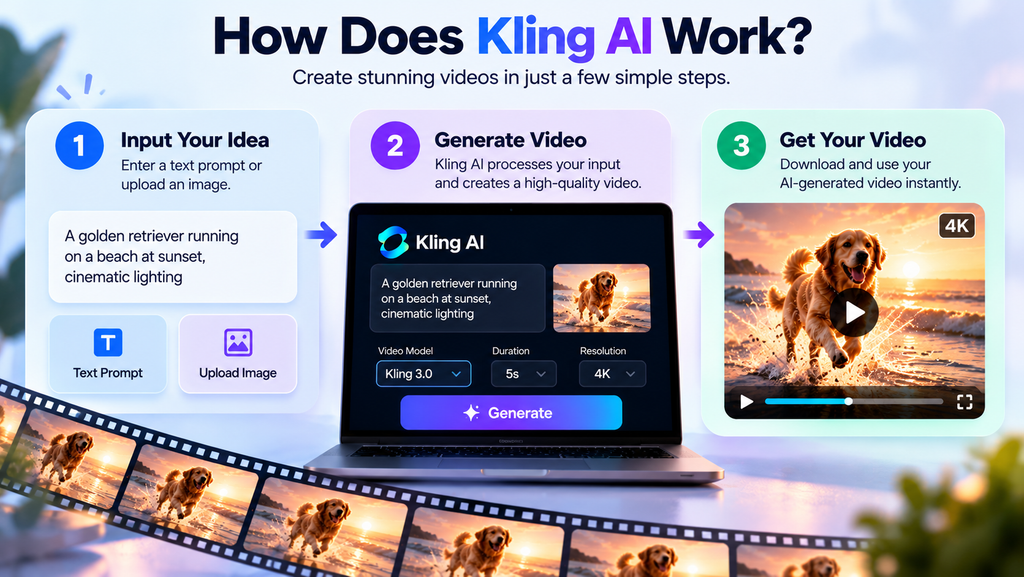
The video can be produced in two different ways:
- Text to video: You enter a description, like “a golden retriever running in a rainy city street at night, cinematic lighting,” and Kling spits out a clip that matches your description.
- To image: You upload a picture, product image, character design, artwork, and ask Kling to animate it.
Kling can also be used to create by referencing. Images, videos, or audio files may be uploaded as references, which will be perceived as the character, product, style, or voice. This can be helpful if you want a specific visual or style to be the same in multiple clips.
The Video 3.0 workflow of the platform can produce clips ranging from three to 15 seconds, and the platform’s native audio feature allows dialogue, ambient sound, effects, and lip movement to be generated during the same production.
Key Features of Kling AI
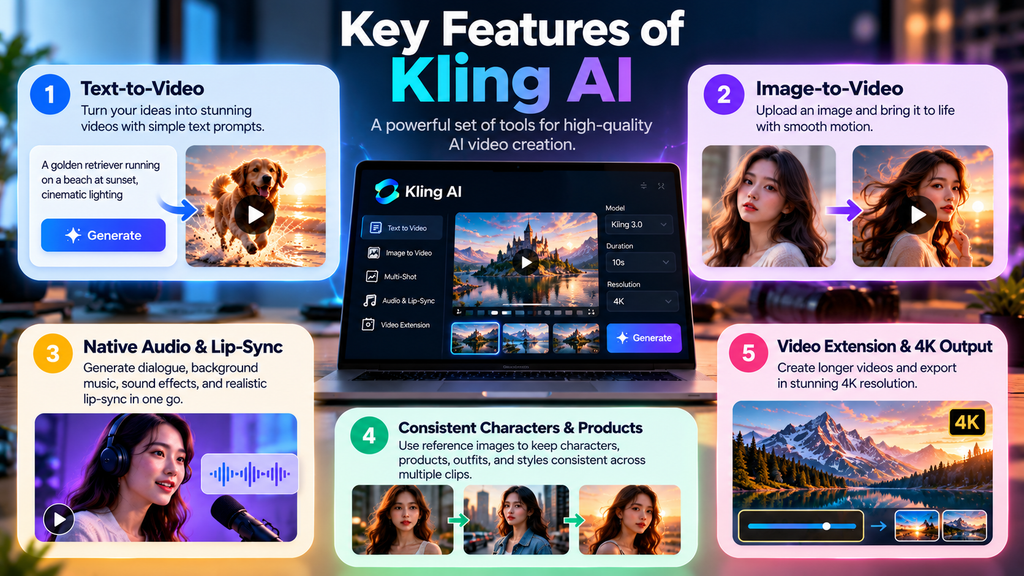
- Text-to-Video and Image-to-Video
- The key capabilities of Kling include converting prompts and/or images into videos. For those who are newer to animation, you may find image-to-video a better starting point than animation-to-image, since you have a subject, a composition, and the visual style of your image set prior to animation.
- It’s important for creators who are creating product teasers, social posts, book trailers, animated artwork, or short film clips. You don’t have to begin with a blank screen; you can create a good image and then add motion to that with Kling.
- Create native audio and lip-sync.
- Kling 3.0 can produce audio for your video as well, such as dialogue, background music, background sounds, and effects. It also has the ability to provide character-level lip-sync, which allows a character to be able to speak typed dialogue with the corresponding mouth movements.
- This saves time for a person creating a quick ad, scene, or social video, as they will not have to record a voice-over, search for sound effects, and sync audio in editing software. However, created voice-over text still requires editing – particularly if it is a brand message or for a client.
- A more consistent character and product
- Changes in facial features, attire, objects, and background happen between frames, which is one of the biggest challenges in AI video. To deal with this, Kling provides the ability to bind a character’s face, outfit, or other image to a reference image through the use of Element Reference.
- It is especially beneficial for creators who are developing a series, product demo, or recurrent characters. It doesn’t fix all of the inconsistencies, but it allows you to have more control than a prompt-only generator.
- Video Extension and 4K Output are enabled
- The Video 3.0 series of Kling is a newer video series that handles 4K output natively, offering more detail and “cinematic” texture. The platform also has video extension features that enable users to create longer videos, stretching the clips they’ve generated.
However, it isn’t always the best option. A 4K list is 30 credits per second, so 450 credits could be used for a 15-second 4K clip, before retries and/or further edits.
Pros and Cons of Kling AI
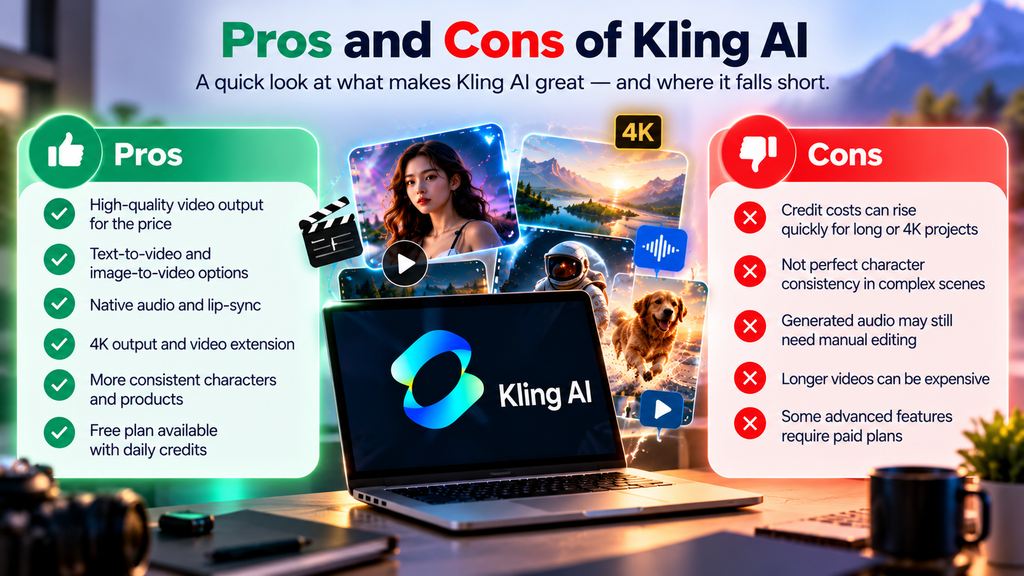
| Pros | Cons |
| Strong text-to-image and image-to-video generation at a suitable price. | Free version includes a watermark and does not allow professional use |
| Includes audio, dialogue, sound effects, and lip-sync in supported workflows | Credits can be used quickly, especially for 4K, audio-heavy, or multi layer project |
| Offers multi-layer generation for more structured short videos | Generated videos may still require editing or prompt betterment |
| Provides character and product consistency tools through reference features | Video 3.0 supports up to 15 seconds per generation, so longer stories require assembly or extension |
| Has a free tier with daily credits, making it easy to test before paying | It is not a full video editor, avatar platform, or complete marketing-video suite |
| Paid plans start at $6.99 per month as an introductory offer, with commercial-use rights included | — |
Who Should Use Kling AI?
Kling AI can be applied to:
- People who need catchy short videos for their social media accounts. This helps them to grow online.
- Small businesses and marketing professionals that wants to showcase their products without spending much capital.
- Freelance video editors who want to give their clients the desired video they want for their use.
- Anyone who wants to create a story, cartoon, or design a character or an idea.
- Teachers and narrators making video clips, visual stories, or inspiring classroom videos.
It’s particularly ideal for consumers who wish prolonged establish clips instead of full-length productions.
Who should not use Kling AI?
Kling may not be the right choice if you need:
- Single-pass video creation: Documentaries, courses, and longer explainers will need some editing and assembly, as video 3.0 only has a limit of 15 seconds per generation.
- A virtual platform that allows people to converse with one another via a talking head avatar. Not built around presenter avatars, translations, or template-based corporate videos, Kling can animate characters and support lip-sync.
- Fixed number of outputs per month: Since credits can be used on different videos for varying durations, with different types of resolution and audio, and can be used multiple times, there is a greater need for planning involved in buying credits.
- Guaranteed brand-safe output: Even though images are generated by AI, it is advisable to check whether they are accurate, whether they include any visual errors, and whether they contain any unnecessary details.
Kling AI vs Alternatives
| Tool | Best for | Main difference |
| Kling AI | Budget-conscious creators needing cinematic short clips | Strong feature set and lower starting paid price |
| Runway | Creators who want a broader creative and editing ecosystem | More established editing workflow, but generally higher-cost positioning |
| Pika | Quick, fun, stylized short videos | Simple and playful, but less focused on cinematic production control |
Conclusion
With its impressive video quality and helpful features such as Multi-Shot, native audio, subject consistency, and 4K generation, Kling AI is a valuable tool for creating high-quality videos. The major disadvantage is its credit system, which can rack up costs if there is a high number of generations and/or a high resolution.
Ideal for content creators, marketers, designers, and those looking for robust AI video solutions without a traditional production environment. Other tools will be required in addition to it if you need unlimited generation and/or precise professional editing.
Go with the free plan, try the workflow, and upgrade if Kling is within your requirements and budget.
Artificial Recap
Best AI Video Generators of 2026: Top 7 Tools Tested and Compared
FAQs
1. Is Kling AI free to use?
Yes. Kling AI provides free daily credits and free generations with a watermark, and they are not allowed for commercial use. When using Paid plans, you won’t have the watermark, and you won’t have any restrictions on using the content for commercial purposes.
2. Will a Kling AI video be longer than or shorter than a conventional video?
Kling Video 3.0 can support up to 3-15 seconds of generation. Video extension can be used to produce longer videos, or multiple clips can be created and edited into a longer video.
3. Is Kling AI compatible with 4K video?
Yes. Kling’s Video 3.0 series comes with 4K output built-in. On the other hand, 4K generation requires more credits – Kling mentions 30 credits per second – and it is best to use it with projects that really need the high resolution.