
Imagine if you could make a mediocre photo into something awesome just by telling it what you want?
Google Gemini can edit out anything you don’t like, change backdrops, alter photo styles, and enable new creative concepts—even if you don’t know the intricacies of editing software. However, will it really produce professional-quality results- or are there issues with the technology?
This Google Gemini for Photos review will help you understand its advantages, editing capabilities, pricing, and its limitations, as well as alternatives to evaluate if it’s the ideal AI photo editing tool for you.
What It Is and How It Works
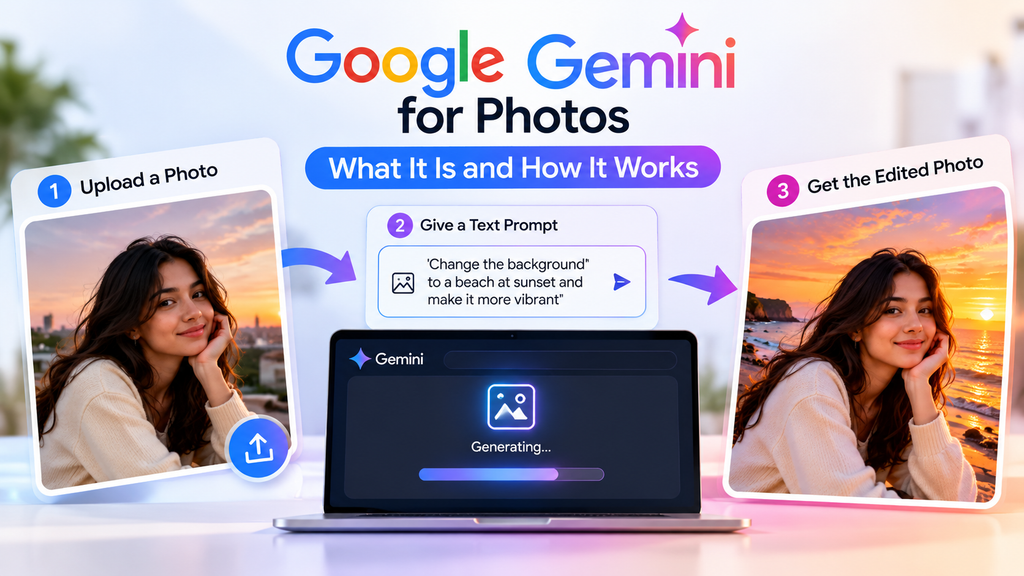
Google Gemini is Google’s AI assistant, and Google’s image generation and editing model family, Nano Banana, is responsible for the company’s photo feature. Basically, you can just upload the picture, give the instruction in text form, and Gemini can do anything for you.
Unlike other photo editors, which are complex to use, Gemini just uses simple language instructions. You don’t need to learn layers, masks, and brushes; you can simply say things such as “Remove the background” or “Change this to sunset lighting” or “Put this person in a different outfit”. According to Google, Nano Banana 2 is their image generator and photo editor in Gemini, capable of creating images and remixing uploaded photos.
What is the procedure for using Gemini photo editing?
With a creative AI like Gemini, you can create any editing scene or photo editing by simple instructions; you can tell Gemini what you want, and it will create it for you.
You can, for instance:
- Upload one picture and instruct Gemini to make an edit to the local picture, e.g., to change the background or modify a subject.
- Upload several photos and request Gemini to merge them into a single photo.
- Use Gemini to alter the tone, vibe, color palette, shot angle, focus, or atmosphere of a shot.
- Produce posters, invitations, logos, comic or social media graphics with text in them.
Core tech is referred to as Nano Banana 2 (in Gemini Apps). Google claims it helps with character consistency, local edits, improved text rendering, and following instructions better, as well as high-resolution previews.
“Character consistency” is the ability of Gemini to keep the same person, pet, product, or character consistent from one image to another. It works particularly well to build a series of social content that can add images to stories or create custom images.
The features of Gemini for photos
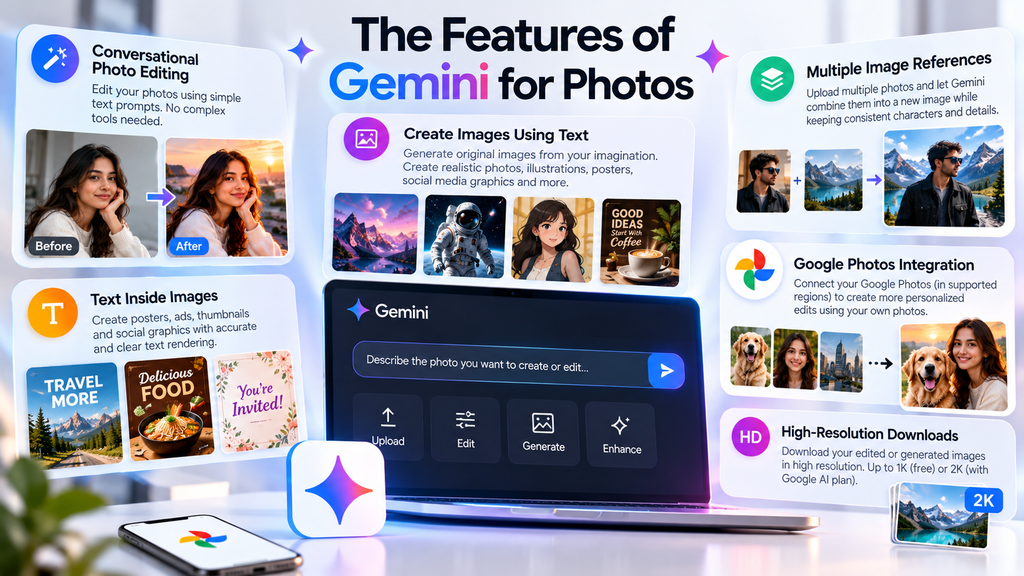
Conversational Photo Editing
The number one reason Gemini is the best is that it’s like you’re editing a conversation. No need to select objects or master tools; upload a photo and tell it what you want it to change.
For those people who have no interest in editing and do not want to learn. Gemini provides prompt editing; just describe the scene as you want it, and it will create it for you. You can also change it with another prompt.
Create images by using text
With a written description, Gemini can generate original images. You can request realistic photos, illustrations, watercolour drawings, cartoons, product ideas, posters, and/or imaginative scenes.
For casual creators, this is something more than photo editing that is useful in Gemini. It can be used for blog posts, social media posts (for both personal or professional use), creating thumbnails, or many other things you want.
Multiple Image References
NanoBanana 2 allows you to set several reference images. This makes it possible to upload multiple images and instruct Gemini to incorporate aspects of those images into a single new image, while preserving the character’s likeness. This will allow you to upload multiple images and have Gemini combine elements from them, keeping the character’s appearance the same, or make a completely new image from the uploaded content.
This is especially useful when you’re creating a series of images, adding a person to a background, merging a product with a background, etc.
Text Inside Images
If you make posters, ads, thumbnails, invitations, or social graphics, then you’ll appreciate the improvement in text rendering that Gemini offers. Google claims that Nano Banana 2 will be the first to identify images in supported languages and spell out the text in them more accurately.
Google Photos Integration
Google Photos is integrated with Gemini in the United States, where eligible users will be able to link their Google Photos. With permission, Gemini can use Google Photos and your own context to produce more individualized photos, such as photos including named people or pets from your library.
The benefit of this is that your photos are already in Google Photos. It is region-limited and optional, however, and therefore might not be available to all readers.
High-Resolution Downloads
With Gemini, users can view images at a high resolution. With no Google AI plan, downloads are at up to 1K resolution; with a Google AI plan, it can be up to 2K resolution.
This is normally sufficient if you are using social media or the web. If you need to work with large print, or with a commercial design that needs detailed work, you might need a dedicated editor that can export in full resolution.
Performance of Gemini editor
Gemini excels at producing fast and creative images based on text or prompts. This is best for creating fresh imagery, doing general cuts, modifying styles, rolling/blending references, and creating individualized images.
Google’s Nano Banana 2 is designed to provide a compromise between how fast the search light can operate, how good the images are, how much world knowledge is included, and how well the text will render; Nano Banana Pro is targeted at users who want more detail, consistency, and creative control.
The areas in which Gemini is successful:
- Creative generation: It is for any of the following purposes: making detailed, playful, realistic, or whimsical images from prompts.
- Iterative editing: An image can be edited multiple times in a conversation, without having to begin the conversation over again.
- Photo remixing: Gemini can manipulate a photo’s perspective, focus, map texture, color, or tone, and alter its ambiance from a reference photo.
- Auto-resize images based on aspect ratio: It can automatically resize images according to aspect ratio without losing any main content, suitable for social media platforms.
- Custom imagery: Google Photos integration can assist in creating images from your own photos and tastes, when offered.
Where it is not so reliable:
- With the images, Google has acknowledged that “tiny faces” and “correct spelling, details, and advanced data visualisation” might still be a hurdle.
- Its appearance may be unnatural, may have visual artifacts, or may be disjointed with a combination of images after the image has been further processed (such as masking, changes to the lighting, blending two or more images, etc.).
- It’s not for the retouching software made specifically for professionals that give them control over each and every single pixel, the texture of the skin, the detail of the products, or the print-ready file.
Google Gemini can be used for:
- Graphic designers or social media workers who requires large amount of designs.
- Content creators or blog writers who require graphics to enhance their work.
- Creating promotional posts for their small business or marketing through social media.
- Students and enthusiasts playing with AI-generated images and custom ones.
- Those who have already been using Google Photos and wish to have such AI-powered photo changes, when available.
Google Gemini is not so good at:
- For detailed work or any in-depth editing that is present in portrait or artwork.
- A singular editing style of the whole organization, like the artist’s personal touch or promotional slogans.
- Provided accurate text in all images.
- Advanced photo restoration and/or detailed correction requiring manual photo editing tools.
Gemini vs Alternatives
| Tool | Best for | Main difference |
| Google Gemini | Conversational image creation, photo remixing, and quick edits | Easiest for prompt-based editing and integrated with Google’s ecosystem. |
| Adobe Photoshop | Precise design work and professional editing. | Offers manual editing, which is helpful in ambitious work. |
| Canva AI | Social graphics and templates | Better for ready-made layouts, branding, and simple design workflows. |
Is Gemini the Best for Photos?
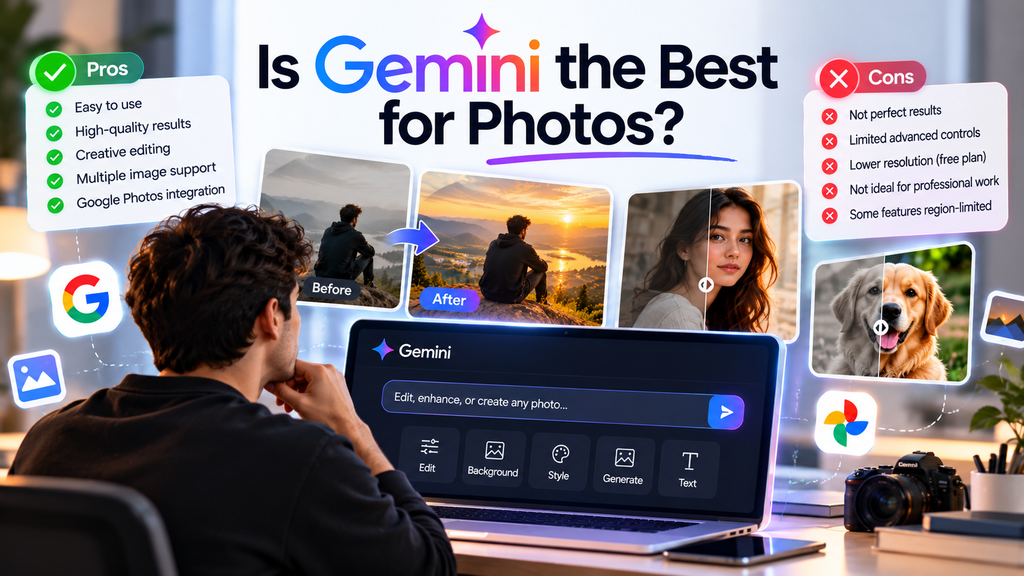
While Gemini is an excellent AI photo tool for everyday creators, it isn’t necessarily the most efficient for every photo job.
The best thing is that it is really useful when you want to produce images, edit photos with conversation, use the same subject for all images, and make the images social-ready in no time at all. If you are limited in usage, or need to download higher resolution, Google AI Plus/Pro is a great choice, but the free version is a good starting point.
However, if you need to get all the details right, you’ll need to manually control it or use super-pro photo retouching – Gemini is an instrument in your process, not your sole one.
Conclusion
Google Gemini simplifies photo editing by transforming your ideas into visual edits, and it’s accessible for everyone. Google Gemini streamlines photo editing, allowing you to edit photos based on prompts—easily accessible for all. It can be used to replace backgrounds, try out creative styles, and more; it’s a convenient tool for enhancing photos without having to learn software with a high learning curve.
But it’s not all good. There may be some edits that don’t seem natural, and people who require exact control might want to use Photoshop. For anyone who is new, is a photographer who takes photos just for fun, or is a social media user who creates content, Gemini is definitely worth a shot that is worth trying first before subscribing to it.
FAQs
1. Is Google Gemini a free photo editing tool?
Yes. The image generation and editing features are available in the free plan of Gemini, although there is a restriction for free users in terms of usage and resolution (up to 1K).
2. Can Gemini edit my own photos?
Yes. Upload an image and request its editing by Gemini, or upload multiple images to generate a new composite image.
3. What is Nano Banana in Gemini?
Gemini’s native image generation and editing is called Nano Banana. Nano Banana 2 is the primary model for Gemini Apps, and Nano Banana Pro is a more intensive model option offered with paid plans.