
If one picture can be made into a movie, what if a few words can make an image into a movie?
The concept of Runway Gen-4 is based on this. Whereas, rather than having to create a whole video from scratch, it takes a picture and makes it move – you have control over the camera, the subject moving, and the overall direction of the video. However, impressive demos don’t always tell the entire story. So how good is this Gen-4 when it comes to quality, control, cost, and consistency – and worth it in 2026? This review analyzes the capabilities and limitations of Runway Gen-4, its pricing, and provides insights on who is suitable for (and not suited for!) using it.
Runway Gen-4 at a glance
| Feature | Runway Gen-4 |
| Best for | Cinematic image-to-video generation |
| Input | Image + text prompt |
| Video length | 5 or 10 seconds |
| Standard output | Up to 1280 × 720 in 16:9 |
| Frame rate | 24 fps |
| Gen-4 cost | 12 credits per second |
| Gen-4 Turbo | 5 credits per second |
| Free option | Yes, limited one-time credits |
| Biggest strength | Controllable motion and visual consistency |
| Biggest weakness | Short clips and credit-heavy iteration |
What Is Gen-4?
Runway Gen-4 is an artificial intelligence video generation model created by Runway that is mainly used to convert an image into a video. What you have to know is that Gen-4 isn’t just a text-to-video model. First of all gives you an image. That image sets the subject, composition, lighting, colours, and overall style of the visual image. Then you put the word that describes the movement you want in the text prompt.
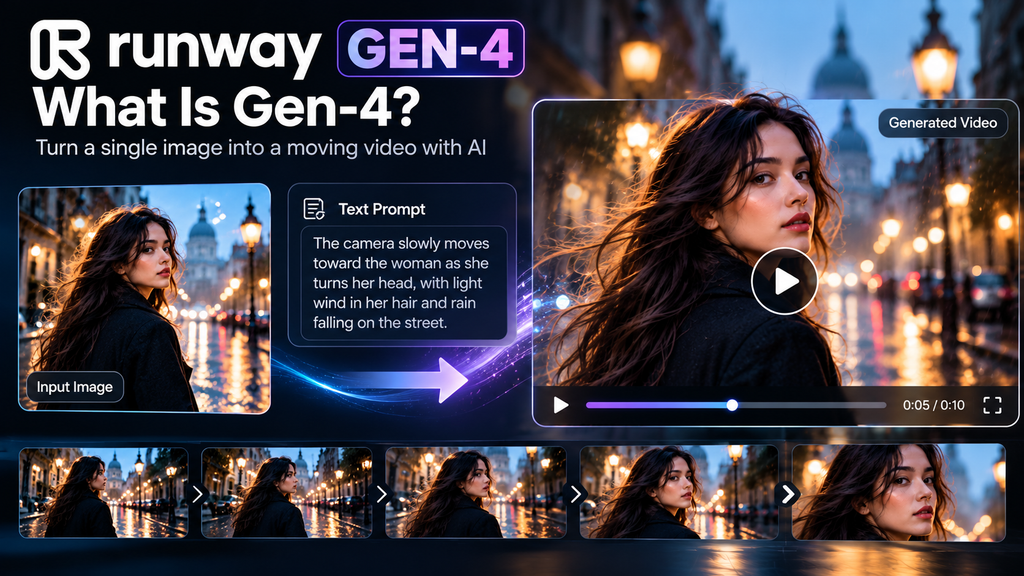
Some examples may be: show a person standing on a rainy street with a camera moving slowly toward the person while the rain drops; or show the person slowly walking toward the camera, and let the camera slowly move in closer and closer to the person as the rain falls.
This is a better way to start than using all text. Runway also strives to maintain consistency in their Gen-4 ecosystem. Its Reference system is capable of retaining characters, environments, and objects over a number of generations by using reference images. Refer to the image of Runway: It can have up to 3 references, which are meant to maintain consistency of characters and scenes. This makes Gen-4 a special interest for those who are working on short story writing, advertising, visual concepts, social video, and B-roll for filmmaking.
How is Gen-4 going to work?
It is actually a rather simple process. You have a good-looking image to begin with. The image is used as the “grounding” point of the video in Gen-4 treatments. You then write a prompt that describes the motion. The key to a good prompt for Runway is to concentrate on what should be moving, rather than repeating the same description of the content in the image over and over.
For example:
“The camera slowly zooms up towards a woman as she is slowly turning towards the camera with her hair gently swaying in the wind.”
The image already provides Gen-4 with an idea of what the woman, environment and visual style will look like. The prompt primarily describes what to do next. This is one of the greatest benefits of this model, but it also is a major drawback – your starting image is significant. If the picture isn’t good or if they don’t get the same picture every time, this can make it very difficult for the model.
Key Features
Image-to-video generation
This will come in handy when turning:
- Transform AI-created artwork into short videos. Convert AI Art into short videos.
- The photo of the product is used in an ad. Picture of product used in ad.
- Concept art to film shots.
- Character illustrations to animation.Illustrations to animation of characters.
- New clips that include photographs and sounds.Photographs and sounds in atmospheric clips.
Gen-4 supports several aspect ratios, including 16:9, 9:16, 1:1, 4:3, 3:4 and 21:9. Its standard 16:9 output is 1280 × 720, with generation at 24 fps.
Consistency and continuity in character and scene
This is where Runway’s all-encompassing Gen-4 ecosystem helps. Gen-4 References allows users to create reference images and then use the characters, environments, or objects in new generations.
One such example would be to build a character in one image and make variations in scenes around the character, trying to maintain the look of the character.
Runway provides workflows specifically for producing consistent characters for various lighting, locations, and visual treatments. When it comes to perfection, that is not to say that every generation will be perfect. Even AI video can give rise to visual modifications. But a reference-driven workflow will provide a lot of control for creators compared to creating each scene in isolation.
Fixed seed
Gen-4 is also available with a fixed seed. This can make generations that have the same motion and style when you want to work on an idea that you don’t want to start the whole process over again each time. That can be more helpful for creators who are trying to iron out a shot.
The ability to integrate with other Runway tools
Another factor to take into account with Generation-4 is that it is not a standalone generation. A created video is then able to be fed to other workflows in Runway. For instance, Runway’s documentation mentions the features of running Gen-4 video on Act-Two, retiming a clip, adding different aspect ratios, and upscaling an output to 4K. Act-Two is another movement, speech, and expression transfer capability that isn’t included in Gen-4, but is a capability on Runway that can be used with a character reference while driving. That is certainly no single-purpose video generator, but rather a creative space called Runway.
The Biggest Pros and Cons
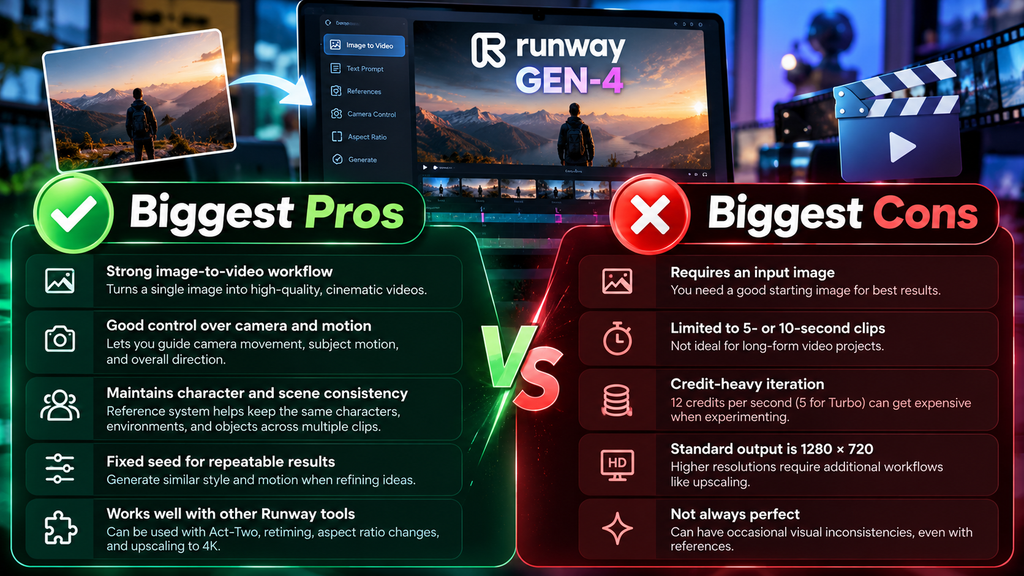
| Pros | Cons |
| Strong image-to-video workflow | Requires an input image |
| Good control over camera and subject motion | Limited to 5- or 10-second clips |
| Useful for cinematic short clips | Iteration can consume credits quickly |
| Supports multiple aspect ratios | Standard Gen-4 output is 720p-class |
| Reference workflows can help maintain character and scene consistency | It is no longer Runway’s newest video model |
| Fixed seeds can help with iterative generation | Getting consistent results still requires experimentation |
| Works alongside other Runway creative tools | It is not the best choice if you simply want large volumes of cheap video |
| Turbo provides a cheaper way to experiment |
Who Should Use Runway Gen-4?
Gen-4 makes the most sense for people who care about visual control rather than simply producing as much video as possible.
It can be a good fit for:
- Filmmakers creating visual concepts
- Video editors looking for B-roll
- Content creators making short cinematic clips
- Marketers creating product visuals
- Designers exploring motion concepts
- Artists turning still artwork into animation
- Storytellers building short AI-generated scenes
It is particularly useful when you already have a strong image and want to turn that image into a moving shot.
Who Should Avoid It?
If you’re focused on low-cost and high-volume video production, Gen-4 might not be the best option. It’s also not ideal to type a paragraph and then get a long completed video at the end. Longer projects will need multiple clips and edits, as there are only 5- and 10 seconds worth of generations. And if you are not using an image as a starting point, but rather text, Gen-4 needs an image as an input, which makes it less convenient than newer text-to-video systems. However, for users who do not fall into those categories, Gen-4.5 is worth considering, particularly as Runway now marks it as the new generation for text-to-video and image-to-video tasks.
Is Runway Gen-4 worth it?
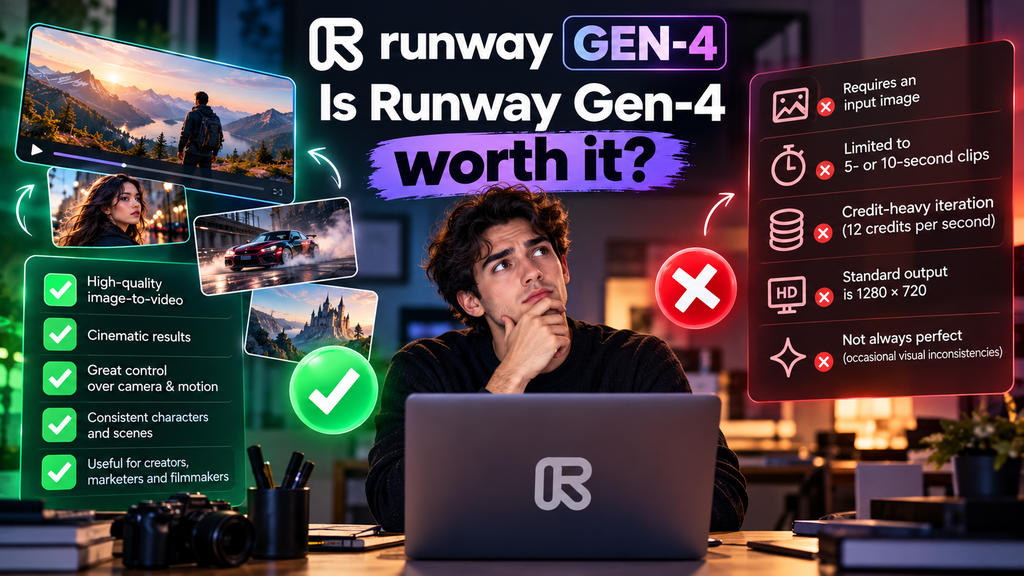
In the case of an already well-made photo that you want to animate and get short, controlled cinematic shots, Gen-4 will also be a good choice. The most notable thing about it isn’t just its ability to produce pretty videos. It will depend on the level of control you have when you begin with an image and guide the movement from there. The cost and iteration are the problem. With 12 credits per second, you’ll run through your allowance quickly if you make many variations. Also, clips can only be up to 5 or 10 seconds, so there is still editing and several generations for serious projects.
The Free plan is more for casual experimentation, as it provides you with an avenue to explore Runway without having to pay for it upfront. However, if you are looking for a plan for regular production, it will be necessary to take into consideration the amount of generation that you can expect on a monthly basis.
Conclusion
Despite being Gen-4, Runway is still a great AI video maker, particularly for those who want to create a brief cinematic video from a meticulously designed image. Its powerful visual capabilities and motion control capabilities, coupled with its focus on consistency, make it a valuable tool for creators, marketers, and filmmakers alike.
But in 2026, short clips and credit usage, coupled with newer models on Runway, make it challenging to recommend Gen-4 as the optimal choice for all.
If you’re looking for an image-to-video controlled, cinematic generation, then give Gen-4 a try. If you want to look at Runway’s most recent features, however, then you should start with Gen-4.5. Finally, it’s worth noting that Gen-4 is not just Runway’s latest AI video feature, but also a well-tested creative tool.
FAQs
1. Is Runway Gen-4 worth it?
Runway offers a Free plan with a limited 125 credits. The availability of models and features is subject to change; however, as a result, not all models or features in the current version of Runway are available in the Free plan.
2. Is Runway Gen-4 capable of producing videos based on a prompt?
Gen-4 requires an input image along with a text prompt. The text prompt is mainly used to describe the desired motion. Runway has steered users to Gen-4.5, which supports newer text-to-video features.
3. Gen-4 is better than Gen-4 Turbo?
Gen-4 is more credit-intensive; Turbo is for quick and affordable experimentation. Turbo is an option to try, and when a higher-quality model is needed, switch to Gen-4, Runway recommends.